|
 |
| |
Ashampoo® Photo Commander Pro 27 | You save 60% | Download version | Ashampoo® App required
Release date: August 12, 2026
Operating System: Windows® 11 (x64), Windows® 11 (ARM), Windows® 10 (x64), Windows® 10 (ARM) |
 |
| Chockfull of features: More than 200 functions for your photos in a single software |
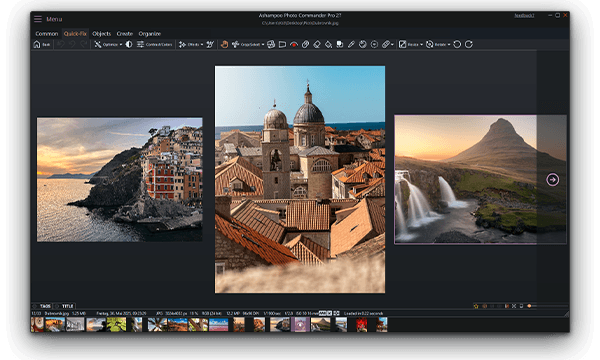
| Ashampoo Photo Commander Pro 27 is a comprehensive solution for viewing, editing, organizing, and presenting your photos. Streamline large image collections and quickly identify selfies, portraits, couple shots, and group photos using advanced local portrait detection. Optimize multiple images simultaneously, and create calendars, cards, collages, and slideshows in just a few clicks. Transform individual images into a well-organized photo collection with ease. Whether you are a beginner, hobby photographer, or experienced user, Ashampoo Photo Commander Pro 27 enables you to achieve your goals efficiently. |
| Feature highlights: |
 | Automatic image correction and optimization — also for folders |  | Manage huge collections comfortably with extensive filtering and grouping features |  | Ready-to-use and individually customizable greeting cards, web albums and calendars |  | Scan, import, draw and create screenshots with a single click |  | Automatic portrait detection for selfies, portraits, couple shots, and group photos |  | Cut out people and objects with ease |  | Create stunning slideshows and add your own music |  | Work locally with private images, no hidden cloud uploads |  | Four-way fingerprinting for precise image comparison and duplicate detection | |
 |
| The image viewer with the perfect overview |
| With Ashampoo Photo Commander, you always stay on top of your photos. Clever filters and grouping options help you keep track no matter how large your photo collections are! Sort chronologically, thematically and by location or apply custom filters and instantly find every shot! |
 |
| Filter portraits with one click |
| Find the images You are really looking for more quickly: Ashampoo Photo Commander Pro 27 automatically detects selfies, portrait shots, couple shots, and group photos. The analysis runs quietly in the background and takes place on your PC. This is especially useful when you are looking for a profile picture, a great selfie, or the group photo from last birthday, but do not want to upload your photos to a cloud. |
 |
| Collages, cards and frames included |
| Get creative: Photo Commander lets you create stylish collages and elegant cards with the help of numerous included templates. Add nifty frames to your photos and combine images and texts to create greeting cards for holidays, parties, and special occasions. |
 |
| Design slideshows with ease |
| Create high-resolution 4K slideshows with fitting transitions and underline your shots with music in various formats. Finished projects are instantly previewable with the new video playbar and can be burned to disc straightaway. |
 |
| Crop and edit photos |
| Crop your photos with ease, straighten image horizons and accentuate colors. Cut out individual people and objects and modify image perspective at your convenience. Play with numerous great photo effects and go professional with gradation curves and tonal value correction! Whether quick fix or detailed post-processing: Ashampoo Photo Commander has got you covered! |
 |
| No more duplicate photos – with four-way fingerprint technology |
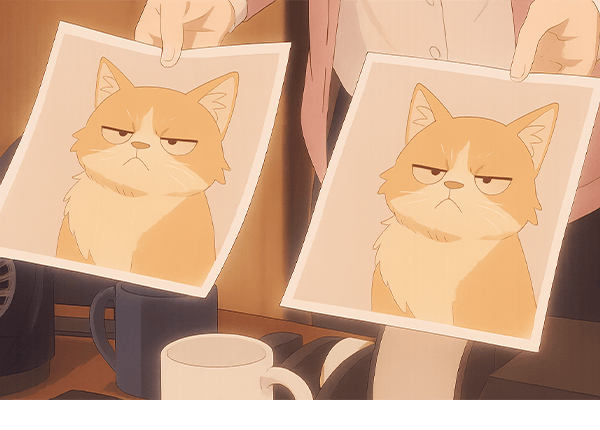
| Photo management is easier than ever with the new Ashampoo Photo Commander. The improved photo browser features an automatic duplicate photo filter that quickly displays and re-groups all duplicates and similar photos in a directory. Photos are compared in detail using four different fingerprinting techniques to give you a similarity percentage that makes it easy to find and review entire series. The heavy lifting happens entirely in the background while you browse your photos. Sorting out duplicates has never been so effective and easy! |
 |
| |
Ashampoo® Photo Commander Pro 27 | You save 60% | Download version | Ashampoo® App required
Release date: August 12, 2026
Operating System: Windows® 11 (x64), Windows® 11 (ARM), Windows® 10 (x64), Windows® 10 (ARM) |