Hey there, niepodam

As you know, we're always shipping new features, making improvements, and fixing bugs behind the scenes of your Visme dashboard. 

This time around, we've got:
• A new Truncate Text feature that keeps your layouts consistent.
• A refreshed AI-first dashboard to help you create content smarter and faster.
• 100+ new presentations, infographics, and document templates to try out.

A solid round of bug fixes that improve usability for every user.
Introducing Truncate Text
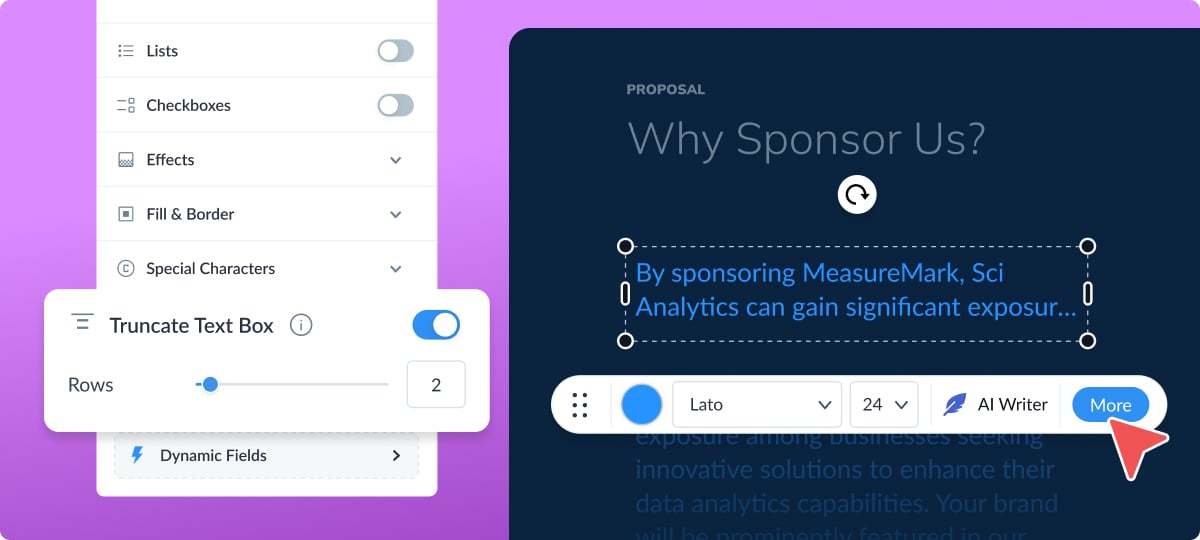
We've developed Truncate Text, a new feature designed to help you maintain consistent, high-quality designs even when working with lengthy content.

 Truncate Text limits the number of rows displayed in a text field, preventing overflow and keeping your designs tidy and balanced.

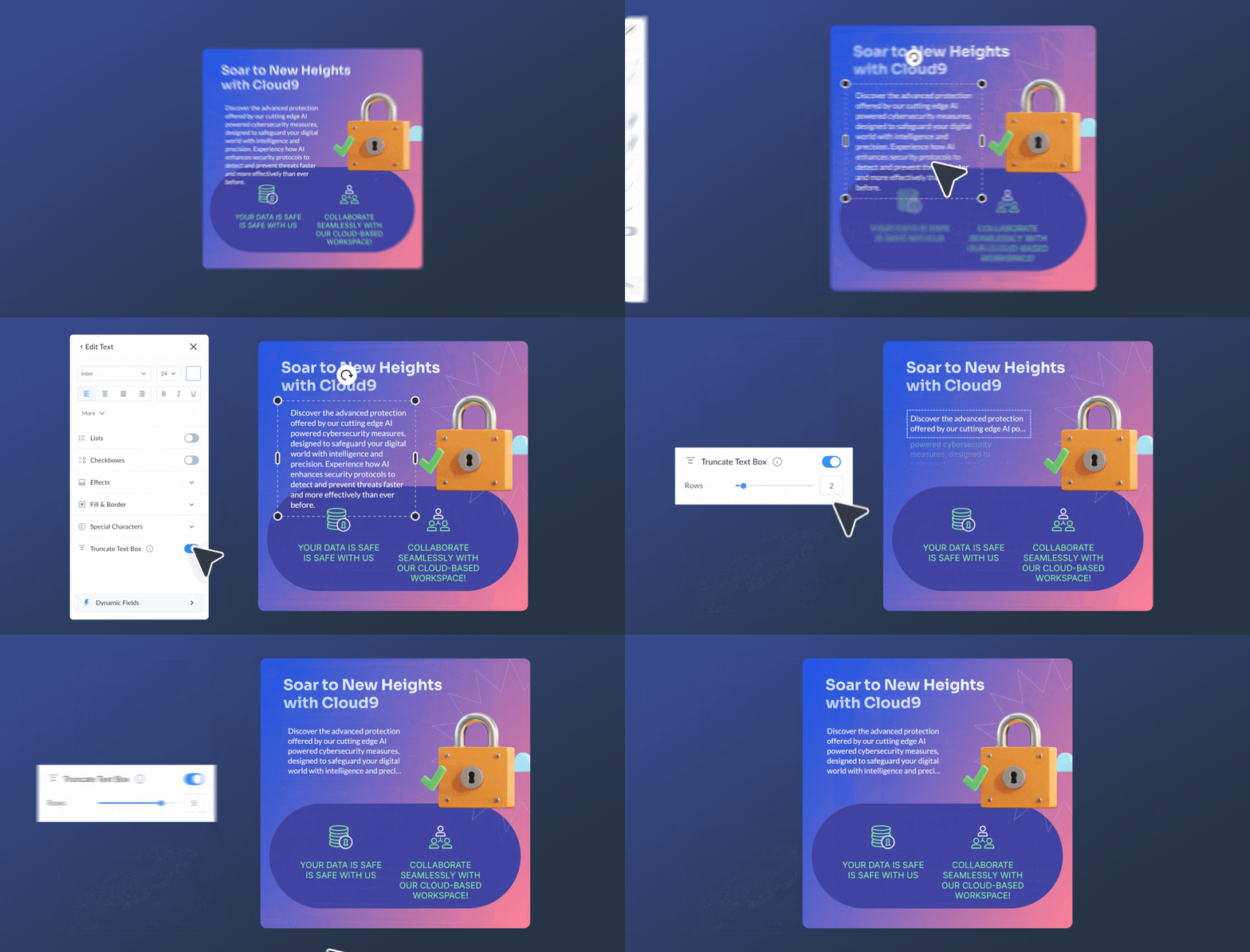
Here's how to use it:

1. Click on any text box to open the left panel.
2. Toggle on the Truncate Text option.
3. Select how many rows you want to display.
4. Hover over truncated text to see the full content.
5. Double-click to edit as usual.
How Truncated Text works with AI Designer
When Visme's AI Designer generates designs for your uploaded content, the text length can vary, which can break your layout. 

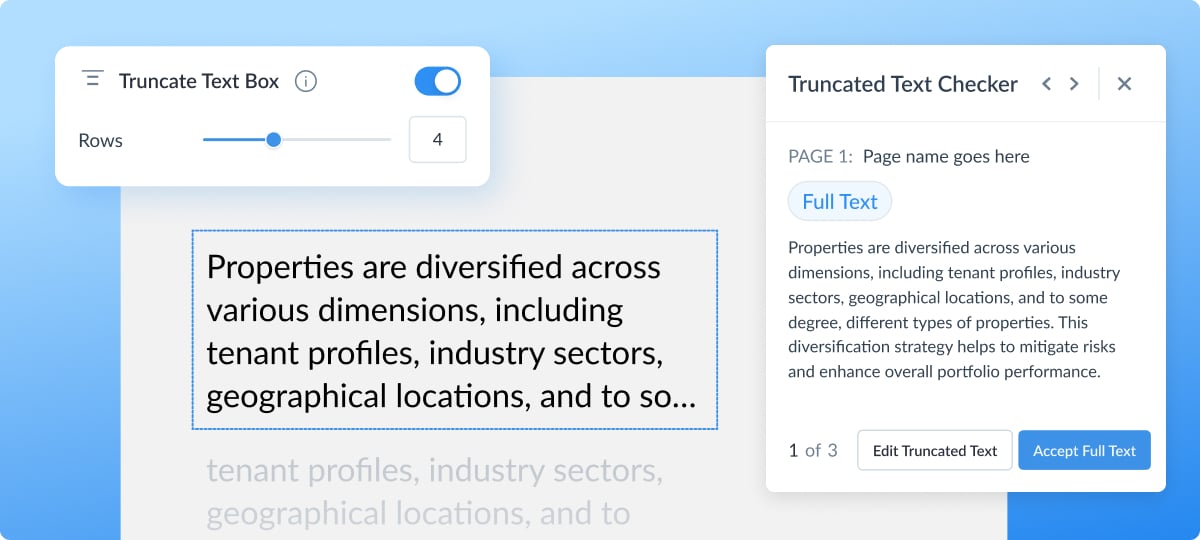
Truncate Text solves this by automatically limiting the number of rows displayed and hiding any overflow with "..." 

This keeps the template’s design consistent, no matter what the AI produces.

 To see the full content, hover over or click the ellipsis to reveal it. 
Updated Dashboard
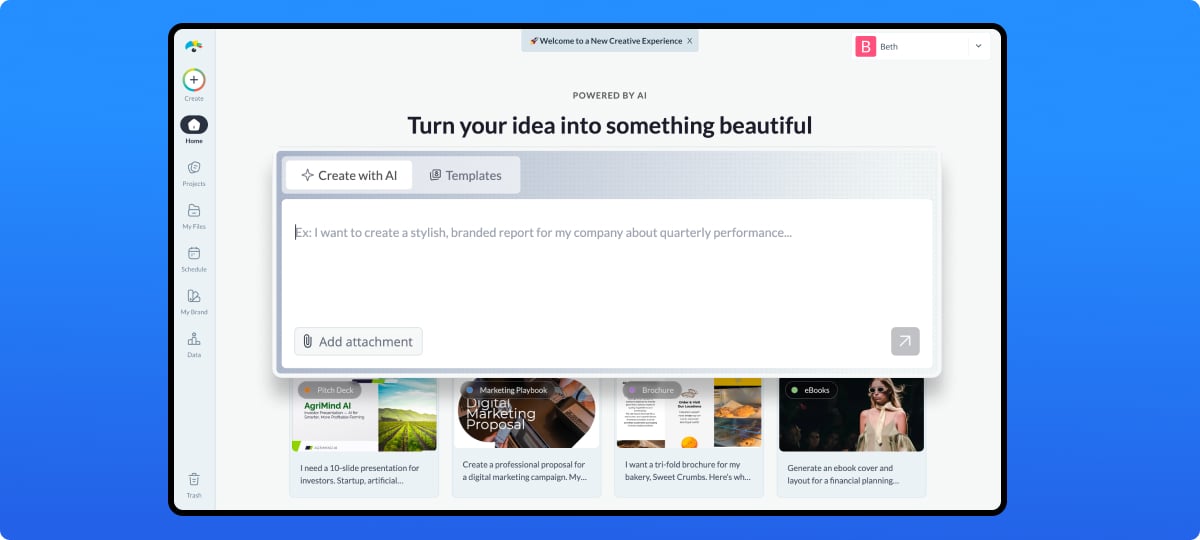
We've given your Visme dashboard a fresh makeover designed to help you get started faster and work smarter. 

The Create with AI option and the Templates gallery are now easier to access than ever. 

Right below the new AI panel, you'll find templates to browse, followed by your projects displayed from newest to oldest.
Log in to your Visme account and check out all the new adjustments that will help you create better visual content.
Victoria, Content Manager
Create anything. Make it beautiful.