|
You're Using Claude Wrong! Here's How to Be Ahead of 99% of Users
The 3 levels of using Claude (and AI) in 2026.
|

| |||||||||||||||


I’ve been using Claude, Claude Cowork, and Claude Code a lot lately.
It’s the best AI I tried so far.
If it weren’t for the short daily usage limit (the $20 plan isn’t enough), I would’ve cancelled ChatGPT a long time ago.
Most people can’t get the most out of Claude because they’ve been using ChatGPT for a long time, so they:
Use Claude like ChatGPT. Like it’s 2023!
Think of prompt crafting, rather than systems
Have a big catalog of prompts that they rarely use
I’ve been there. You’re probably there too, and there’s nothing wrong with that.
ChatGPT was our introduction to AI, so we learned the ChatGPT mindset. In 2026, we need to shift this mindset. In this guide, we’ll do that.
We’ll learn when and how to go from:
Prompts → .md files
Prompt libraries → Skills for repeatable workflows
Chat windows → AI that executes
I’ll break this into levels. Not everyone needs to reach the final level, but I want to give you a sense of what’s possible with a mindset shift.
Click here to read our best Claude guides
Consider becoming a paid subscriber if you like my Claude guides 👇
Level 1: Prompts → .md files
Since ChatGPT's release, we’ve been obsessed with prompt engineering.
I wrote many guides teaching the best prompt engineering techniques. They’re still relevant. But here’s the thing.
Your best prompts saved on Notion are at the “what to do” level.
Since 2023, the context window and agentic capabilities evolved. Now we can go deep into the “exactly how to do it” level.
This means we can go far beyond ‘Act as a writer with 10 years of experience. Write about XYZ ’
We can teach the AI how to create the article end-to-end: our writing voice, how to structure each section, which words to avoid, the format, etc. The entire workflow becomes instructable, not just the final ask.
All this info goes into an .md file (aka markdown file).
An .md file is simply a text file.
The difference? A .txt file is flat. Markdown gives you headings, code blocks, bold/italic text, and organized lists. This structure helps AI (and us) quickly find sections without having to read the entire file top to bottom.
Here’s what a simplified .md file looks like for capturing your writing voice:
# Blog Post Instructions

## Structure
- Start with a personal story (1-2 sentences max)
- 3 tips only. No fluff. Each tip should have a real example.
- End with one clear takeaway the reader can apply today

## Writing Style
- Short paragraphs (2-3 sentences max)
- Use "you" more than "I"
- No corporate jargon. Write like you're texting a smart friend.
- Never use: "In today's world", "Let's dive in", "Game-changer"

## Formatting
- No bullet points inside the body (use them only for lists of tools)
- Bold only the first sentence of each tip
- Total length: 800-1000 words
Not all your prompts should be turned into an .md file, though.
Think of .md files as recipes: write the instructions once, and the AI follows them every time it runs the task.
There are different ways to create an .md file:
You can create one manually from scratch (like drafting a brief)
You can have AI interview you and generate it from your answers
You can generate them with Claude skills
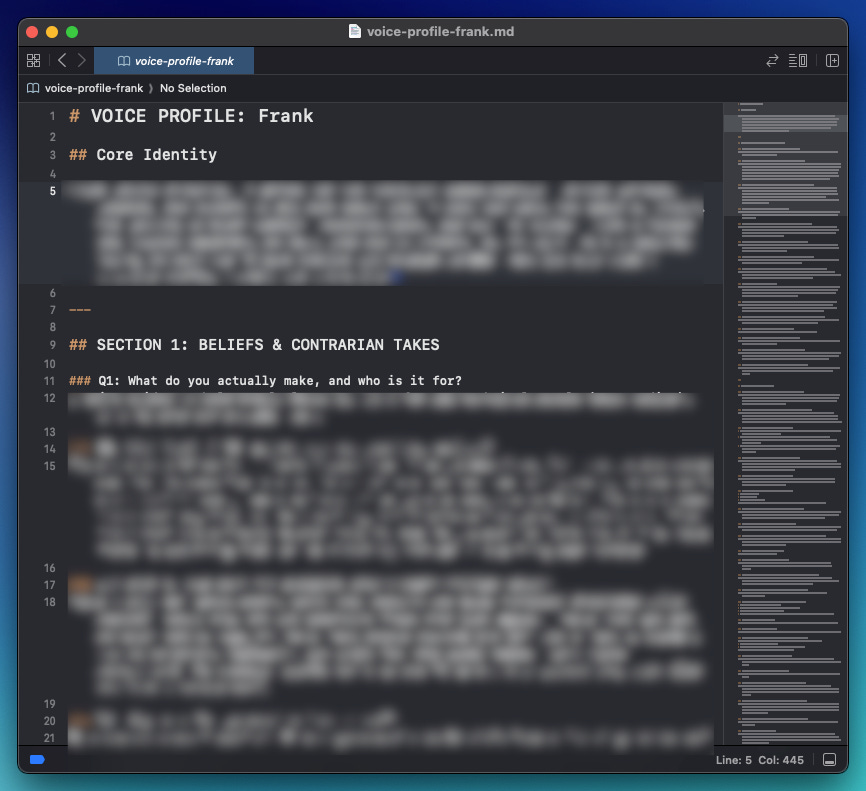
I spent over an hour answering a 100-question interview designed to capture my writing voice in an .md file. The result is a detailed instruction set for how I write guides. Now, anyone on my team can upload that file and rewrite any draft in my voice.
 |
Writing an .md file takes time, but you only do it once. And here’s the thing — you only need to write a few manually (the ones that capture something personal, like your voice or your process).
The rest? Claude skills can generate them in seconds
Level 2: Prompt libraries → Skills
Skills are Claude’s cheat code.
They’re powerful when you have repeatable workflows.
Instead of re-explaining your preferences and processes in every conversation, skills let you teach Claude once and benefit every time
Let’s take the “brand-guidelines” skill as an example. With this skill, we can generate slides that copy Anthropic brand guidelines in one shot (colors, design, etc):