|



Almost Timely News: 🗞️ Unleash the Power of AI With The Command Line (2025-12-28) :: View in Browser
 |
The Big Plug
🚨 Read new research from Trust Insights: What If LinkedIn’s AI Treats Your Profile Differently Based on Your Name? Free, no info required, no forms to fill out.
Content Authenticity Statement
100% of this week’s newsletter was generated by me, the human. Learn why this kind of disclosure is a good idea and might be required for anyone doing business in any capacity with the EU in the near future.
Watch This Newsletter On YouTube 📺

Click here for the video 📺 version of this newsletter on YouTube »
Click here for an MP3 audio 🎧 only version »
What’s On My Mind: Unleash the Power of AI With The Command Line
To close out 2025, let’s end the year on a deep dive into something technical and arcane: the command line. More than a few folks commented after last week’s newsletter that the bit about the command line stood out, so I figured I’d dig in a bit this week.
I will warn that this issue is not going to be everyone’s cup of tea. It is more technical. It is practical and useful, but there are parts I’m going to skim over because we could spend hours and hours just talking about the command line and that’s probably not the best use of our time today.
Understanding the command line and its utilities is the difference between AI being a single use utility - still powerful to be clear - and AI becoming an engine of productivity that you’ve never seen before.
Part 0: Disclaimers, Disclosures, and Warnings
This issue of the newsletter is more technical than most and will focus on the use of command line utilities and other relatively technical pieces of software. I make absolutely, positively no warranties that following the instructions or ideas in this newsletter are safe. You might very well erase your computer or light it on fire, or cause it to only sing “It’s a Small World” on repeat in perpetuity. Trying any of the ideas in this newsletter is at your own, sole risk.
I do not offer any form of technical support or guidance or instructions for any consequences that might result from this newsletter.
Additionally, if you’re going to do this on a work computer, please consult with your IT or technical department before you go installing pieces of software based on the advice of someone from the internet.
Part 1: Why The Command Line
To understand this point, let’s talk about why AI needs the command line. In a word, it’s all about execution. A service like ChatGPT or Gemini lives inside your browser. That’s its operating environment, and while AI manufacturers have made great strides in 2025 connecting these browser—based environments to things we care about, like our email or our office software, the reality is that they’re still in little fishbowls.
If we want to unlock the power of AI, we need to do so by connecting it to as many systems as possible. There’s no place more connected to the things we care about than our own computers. On our computers are our email, our apps, our documents, our photo libraries. Everything of note lives on our computers.
And for the most part, all of that is disconnected from AI tools. Claude, ChatGPT, and Gemini can’t see the contents of those folders on our machines, not from our web browsers.
But put inside an enviroment like Claude Code, Gemini Code Assist, OpenAI Codex, etc. and suddenly the AI models have the ability to see what’s on our computers (when we give them permission to do so). That’s a really important point. You have to give permission for AI to see stuff on your computer. It is not able to do that by default.
Even more important, they can create new tools for themselves to assist themselves in working with what’s on our computers and with what’s in the cloud. That’s why the command line is so vitally important to our leveling up our AI skills. We are letting AI build its own tools to get even more done.
Part 2: What is the Command Line
The command line is the original operating system of computers from as far back as the 1950s. It is a text-based interface where you navigate your computer and run software from the keyboard. There’s no graphical user interface, no mouse, no anything, just a little box that you type in (sound familiar?). Those of you with a fair amount of grey in your hair will remember that computers used to operate this way all the time; back in the 1980s, most computers used MS-DOS or ProDOS, and you did everything from the keyboard.
I won’t go into a history of computing here, except to say that the reason the command line is still relevant is because it is a text-based interface. Text based interface means that generative AI tools can read and write as though they were the ones doing the typing - and that makes all the difference in the world. They speak that language fluently.
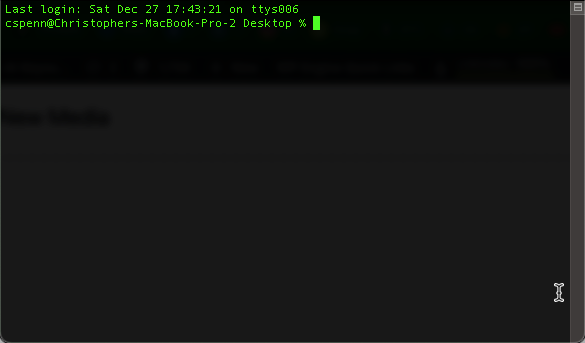
Depending on the computer you’re using, you get to the command line in a couple of different ways. On Windows computers, you go to your Start Menu and type cmd in the search box to find the Command Prompt. On Macs, you go into your Applications folder, then the Utilities folder, and find the app called Terminal. Both bring you into the arcane world of the command line with something that looks like this:
 |
As an aside, if you want an in-depth, highly entertaining read about the history of the command line, Neal Stephenson (of Snow Crash and Cryptonomicon fame) wrote an excellent book about it that’s free from Stanford called In the Beginning Was The Command Line, and I highly recommend it.
Once you’ve found the command line, then you’re ready to start using it. One of the most important paradigms of early computing, to save precious memory and space, was that computer applications typically did one small thing very well. This is especially true of Unix-based systems, of which MacOS is a direct descendant.
For example, built into every Unix-like system is a small program called wc. wc does exactly one thing: counts words. Give it a file and a command, and it will count th