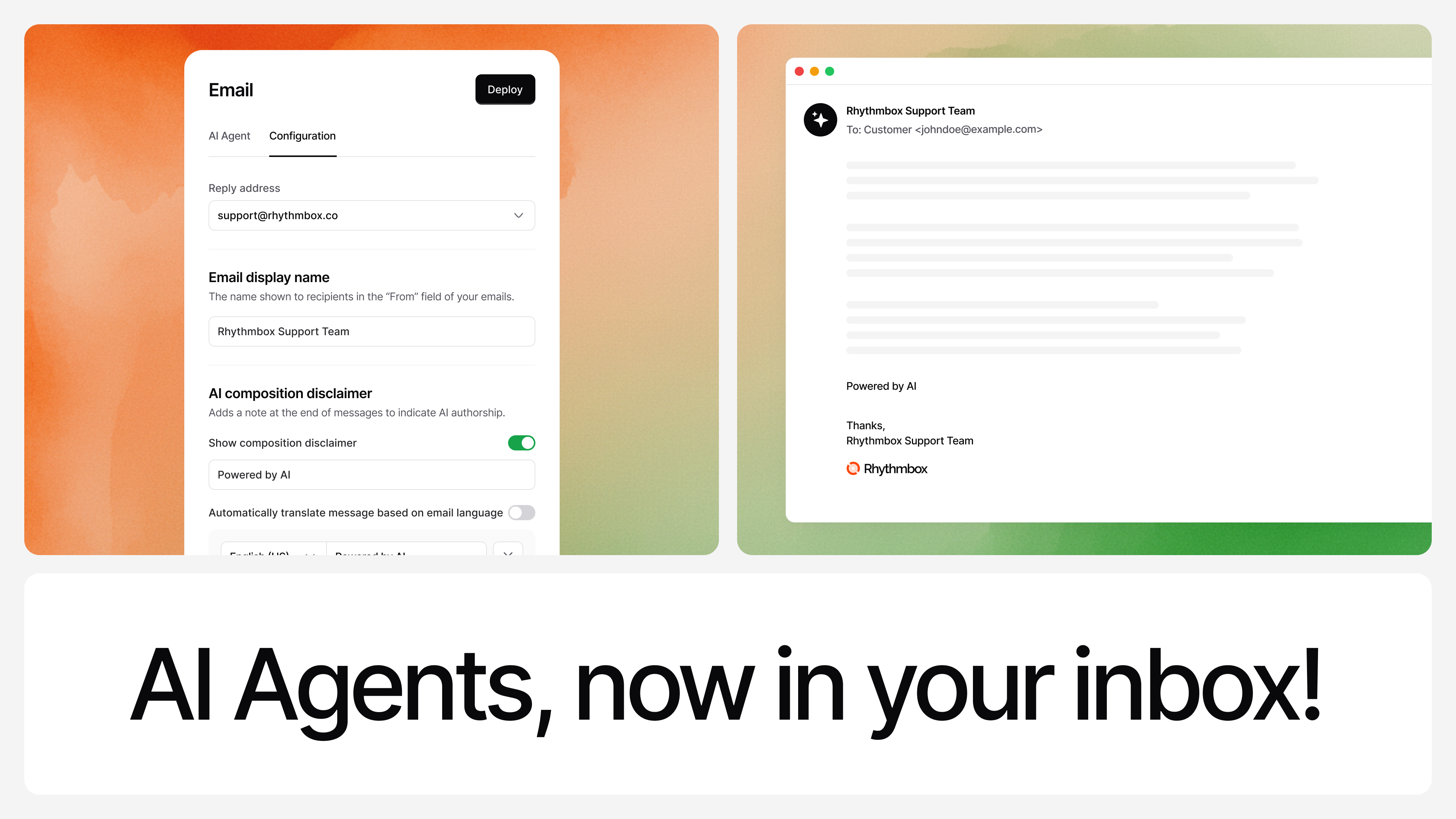
Connect an email address and let your AI Agent handle replies automatically.

͏ ͏ ͏ ͏ ͏ ͏ ͏ ͏ ͏ ͏ ͏ ͏ ͏ ͏ ͏ ͏ ͏ ͏ ͏ ͏ ͏ ͏ ͏ ͏ ͏ ͏ ͏ ͏ ͏ ͏ ͏ ͏ ͏ ͏ ͏ ͏ ͏ ͏ ͏ ͏ ͏ ͏ ͏ ͏ ͏ ͏ ͏ ͏ ͏ ͏ ͏ ͏ ͏ ͏ ͏ ͏ ͏ ͏ ͏ ͏ ͏ ͏ ͏ ͏ ͏ ͏ ͏ ͏ ͏ ͏ ͏ ͏ ͏ ͏ ͏ ͏ ͏ ͏ ͏ ͏ ͏ ͏ ͏ ͏ ͏ ͏ ͏ ͏ ͏ ͏ ͏ ͏ ͏ ͏ ͏ ͏ ͏ ͏ ͏ ͏ ͏ ͏ ͏ ͏ ͏ ͏ ͏ ͏ ͏ ͏ ͏ ͏ ͏ ͏ ͏ ͏ ͏ ͏ ͏ ͏ ͏ ͏ ͏ ͏ ͏ ͏ ͏ ͏ ͏ ͏ ͏ ͏ ͏ ͏ ͏ ͏ ͏ ͏ ͏ ͏ ͏ ͏ ͏ ͏ ͏ ͏ ͏ ͏ ͏ ͏ ͏ ͏ ͏ ͏ ͏ ͏ ͏ ͏ ͏ ͏ ͏ ͏ ͏ ͏ ͏ ͏ ͏ ͏ ͏ ͏ ͏ ͏ ͏ ͏ ͏ ͏ ͏ ͏ ͏ ͏
|
|
|
Chatbase Update - December 2025
|
|
|
|
You can now deploy your AI Agents to an inbox and automatically reply to customer emails. Connect an email address to an agent, and it will read incoming messages, understand intent, and respond like a support rep.
|
|
|
Reply to customer emails with your AI Agent
|
|
You can connect a dedicated email address to your agent and have it handle incoming emails like a real support rep.
|
|
|
|
Customers send an email → your Agent reads it, understands it, and replies.
|
|
|
|
|
|
You can now use your AI Agent as an email support channel.
|
-
Each agent gets its own email address
|
-
You can connect your own support addresses (like support@yourdomain.com)
|
|
Under the hood, you set up forwarding and verify your domain once, then your Agent can respond from your own addresses instead of chatbase-mail.com.
|
|
|
|
Set-up guides:
|
|
| | | |