FEATURED CONTENT Automate Power BI Deployment Pipelines with KingswaySoft |
Managing Power BI updates across Development, Test, and Production environments can involve repetitive manual steps when creating pipelines, assigning workspaces, and promoting content. In this blog, we demonstrate how KingswaySoft's SSIS Integration Toolkit can automate Power BI deployment pipeline management through configurable SSIS data flows, providing a codeless approach to managing the reporting lifecycle.
Key Highlights from the Blog: Create Power BI deployment pipelines and assign existing workspaces to pipeline stages using KingswaySoft components and Power BI API actions. Retrieve pipeline and workspace IDs with Premium Service Lookup components and pass the required information between data flows for downstream processing. Trigger pipeline deployments using DeployAll or SelectiveDeploy actions, with the flexibility to extend the design for additional stages and deployment requirements.
|
FEATURED TECHNIQUE Accelerate Zoho CRM Data Extraction with the Bulk Read API |
Extracting large volumes of Zoho CRM data through standard paged requests can result in a substantial number of API calls as data volumes grow. In this blog, we demonstrate how to configure the Zoho CRM Bulk Read API with KingswaySoft's Zoho CRM REST components for high-volume data extraction and compare its performance with standard paged retrieval.
Key Highlights from the Blog: Configure Bulk Read operations in SSIS to extract large Zoho CRM datasets through asynchronous export jobs. Apply criteria to control which records are included in the extraction and configure the polling interval for Bulk Read job status checks. Compare standard paged retrieval with Bulk Read, including test results where 100,000 records were retrieved in 13 seconds with 3 API calls using Bulk Read, compared with over 2 minutes and 500 API calls using standard retrieval.
|
FEATURED WORKFLOW Automate Document Uploads and Bill Attachments in QuickBooks Online with SSIS |
|
Supporting documents such as vendor invoices and receipts are often stored separately from their related QuickBooks Online transactions, making manual attachment management increasingly time-consuming as document volumes grow. In this blog, we demonstrate how KingswaySoft's SSIS Integration Toolkit can automate the process of retrieving documents, matching them to existing QuickBooks Online bills, and uploading them as associated attachments.
Key Highlights from the Blog: Retrieve PDF documents from a file system and extract vendor names and document numbers from file names for transaction matching. Match documents to existing QuickBooks Online bills using vendor name and document number, while redirecting unmatched records for additional handling. Build the required AttachableRef using the matched bill ID and upload each document through the QuickBooks Destination as an attachment to the corresponding bill.
|
NEW VIDEO RESOURCES Getting Started with Google BigQuery Components |
Explore how to work with Google BigQuery data using the components available in KingswaySoft's SSIS Integration Toolkit. This video covers the Google BigQuery Connection Manager, Source, Destination, and Command Task components, demonstrating how they can be configured and used within SSIS-based integration workflows. |
Getting Started with Google Drive Components |
Learn how to integrate Google Drive data with SSIS using the components available in KingswaySoft's SSIS Integration Toolkit. This video covers the Google Drive Connection Manager, Source, and Destination components, along with additional shared components that can use the Google Drive connection for file management and file-based integration scenarios. |
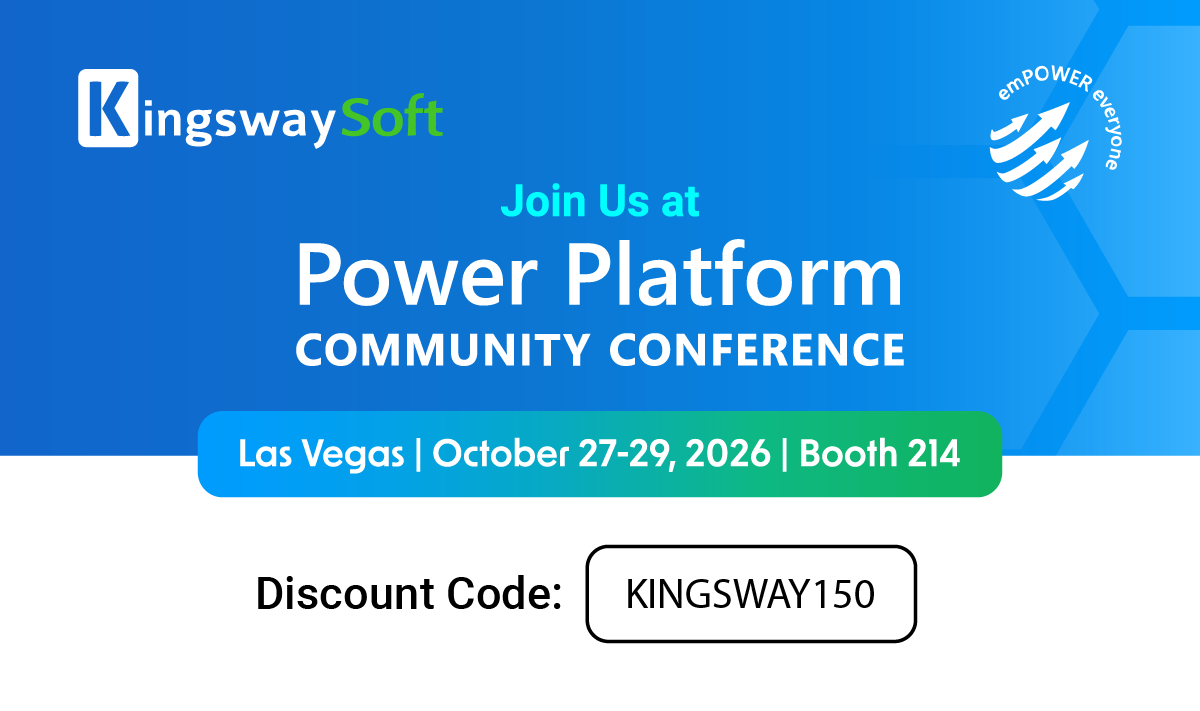
IN-PERSON EVENT Power Platform Community Conference 2026 |
Power Platform Community Conference 2026 is coming up next month! KingswaySoft will be at Booth #214 in Las Vegas, Nevada, from October 27 to 29. Stop by to meet our team, learn more about our latest solutions, and discuss your integration and connectivity requirements. If you haven't registered yet, you can save $150 on conference registration with the KingswaySoft discount code KINGSWAY150. |
We are always looking to showcase the work of organizations achieving meaningful results through integration. Participating in a case study is an opportunity to highlight your success, gain visibility within your industry, and share your story with a broader audience.
If this is something you'd be interested in, you may contact us at marketing@kingswaysoft.com or submit the details using the form below. |
We Want to Hear From You! |
We would love to hear from you. We want to make sure that your interactions with us are easy and smooth. Fill us in - it will only take 3 minutes. Your feedback is greatly appreciated and will help improve your future experience with us. |
|
|
|