
|



Goldfish remember more than your agent does (Sponsored)
 |
Goldfish get a bad rap. Turns out they actually remember things for months, not seconds. Your agent, on the other hand, forgets everything the second the context window fills up.
So really, your agent has worse memory than a goldfish. That’s the bar. It’s easy to clear with the right infrastructure.
This series builds a context aware app on Redis Iris in five 15 minute sessions, live, one gap at a time:
Session 1: Search (Sept. 16)
Session 2: Agent memory (Sept. 23)
Session 3: Context retrieving (Sept. 30)
Session 4: Semantic caching (Oct. 7)
Session 5: Fully built context aware apps + use cases (Oct. 14)
This week’s system design refresher:
Why Does Git Revert Cause Conflicts?
12 Claude Code Features Every Engineer Should Know
Symmetric vs. Asymmetric Encryption
7 Key Load Balancer Use Cases
How can Cache Systems go wrong?
Launching ByteByteGo Live
Why Does Git Revert Cause Conflicts?
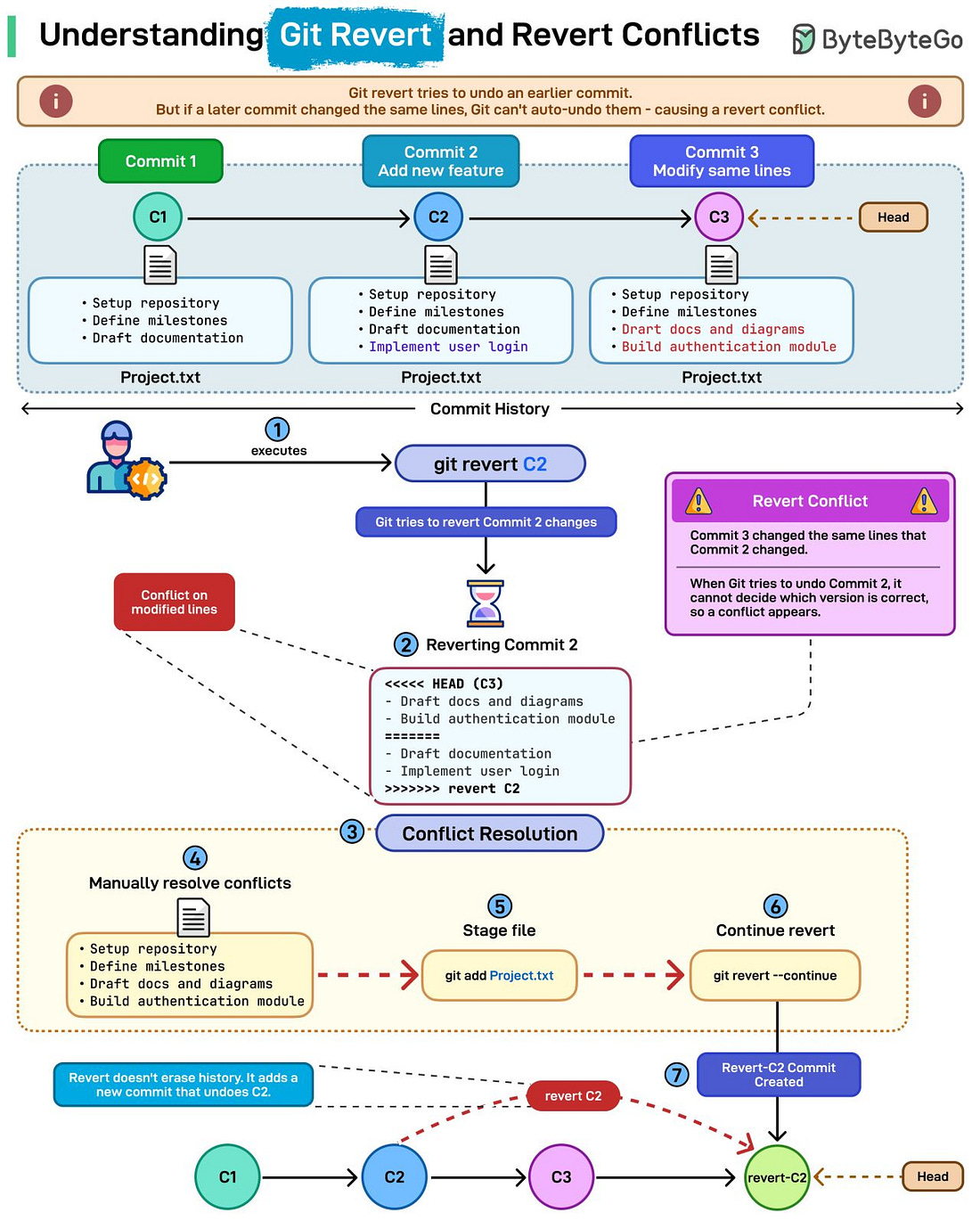 |
git revert looks straightforward until it throws a conflict. Here’s why that happens.
What git revert actually does: Unlike reset, a revert doesn’t rewrite history. Instead, it creates a new commit that undoes the changes from an earlier one. This keeps your history clean, traceable, and safe for shared branches.
Why revert conflicts happen: Conflicts appear when a later commit changed the same lines as the commit you’re trying to undo.
Example in the diagram:
Commit C2 added a feature
Commit C3 changed those same lines
Reverting C2 now collides with changes from C3
Git can’t know which version is correct, so a revert conflict is triggered.
How to resolve it:
1. Run git revert C2
2. Git pauses when it hits the conflict
3. You manually fix the file
4. Stage it
5. Continue the revert
Git then creates a new commit that cleanly undoes C2 while keeping C3 intact.
Over to you: Have you ever hit a revert conflict at the worst possible moment? How did you resolve it?
12 Claude Code Features Every Engineer Should Know
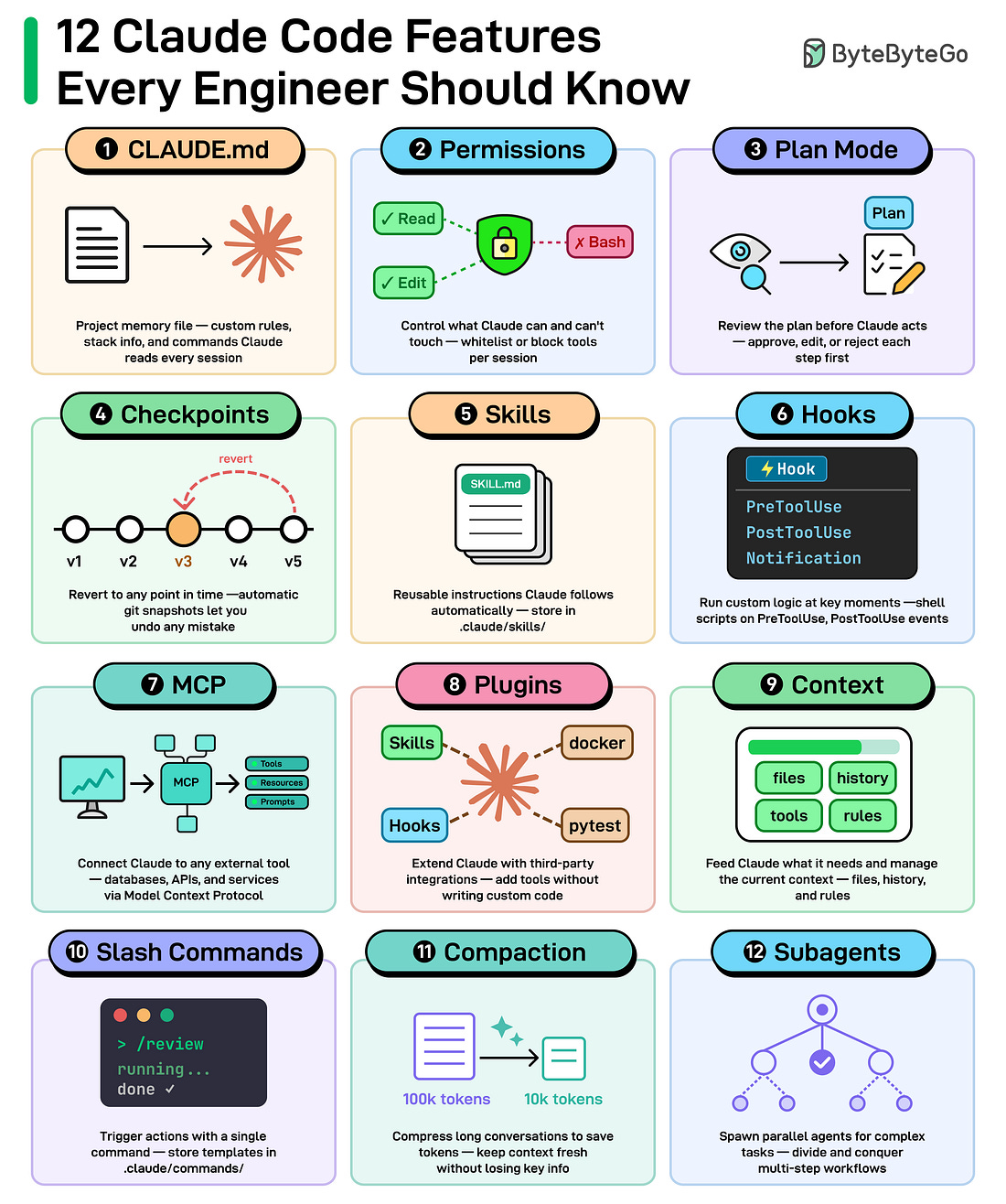 |
CLAUDE. md: A project memory file to define custom rules and conventions. Claude reads at the start of every session.
Permissions: Control which tools Claude can and can’t use.
Plan Mode: Claude plans before it acts. You can review them before any code changes.
Checkpoints: Automatic snapshots of your project to revert to if something goes wrong.