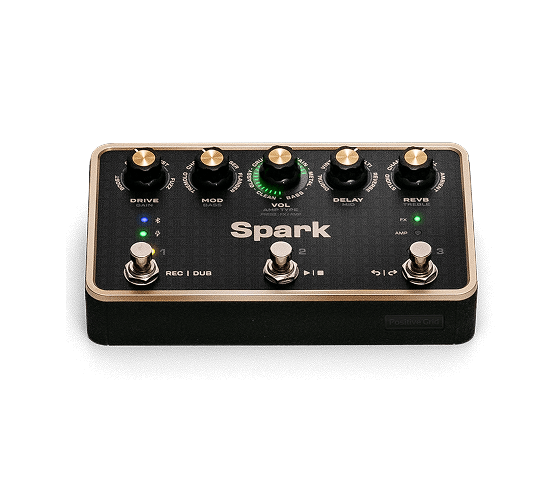
Straight from the comments, here are some of the most commonly asked questions about Spark PEDAL.
Q
Can I turn the cab simulation on or off?
A
Yes. In AMP Mode, double-tapping the main center knob toggles Cab Sim on/off, so you can run Spark PEDAL into your own amp or cab without stacking two cab simulations.
Q
Does it have an expression pedal input?
A
Yes. There's a built-in ¼" TRS expression pedal input for wah or volume control, and you can configure exactly what it controls in the Spark app.
Q
How many presets can Spark PEDAL store, and can I reorder the effects?
A
The pedal holds 6 onboard presets (two banks of 3, switched via footswitch). Each knob (Drive, Mod, Delay, Reverb) controls a fixed effect category in the signal chain. You can swap which effect type lives in that slot.
Q
Is Spark PEDAL a standalone unit, or do I need another Spark product to use it?
A
Spark PEDAL is fully standalone, with its own built-in 33 amp models and 43 effects. It works alone as a complete rig, or you can run it into an existing amp as an effects processor. No Control X or other Spark product is required.
Q
Does it have MIDI support?
A
Yes. Spark PEDAL includes ⅛" MIDI in/out ports, with included adapters to standard 5-pin DIN, so you can switch presets and toggle effects from an external MIDI controller.