
|



Chainable compute. Right on queue. (Sponsored)
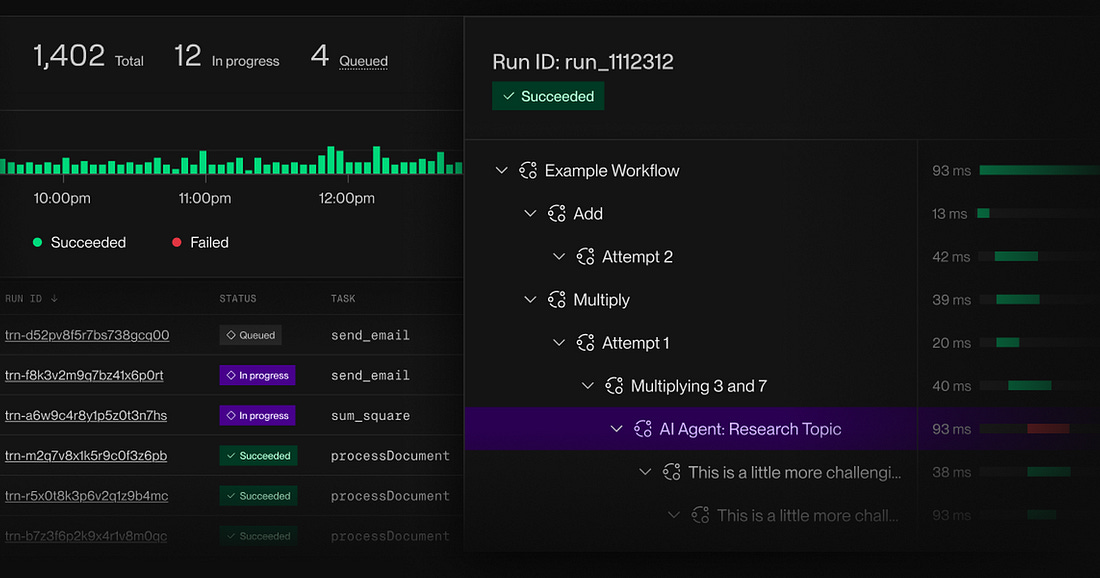 |
Define tasks with Render’s lightweight SDK and chain them into long-running, distributed workflows. Launch your agents and batch jobs on demand. Render Workflows handles queuing, orchestration, and retries.
This week’s system design refresher:
How Docker Works Under the Hood
git merge vs git rebase
12 popular vector databases help you get the right context to the model
Pagination Strategies for Large Systems
How LLMs Use AI Agents with Deep Research
How Docker Works Under the Hood
A Docker container starts with a single command, but that command has to be turned into a running Linux process. Here is what actually happens.
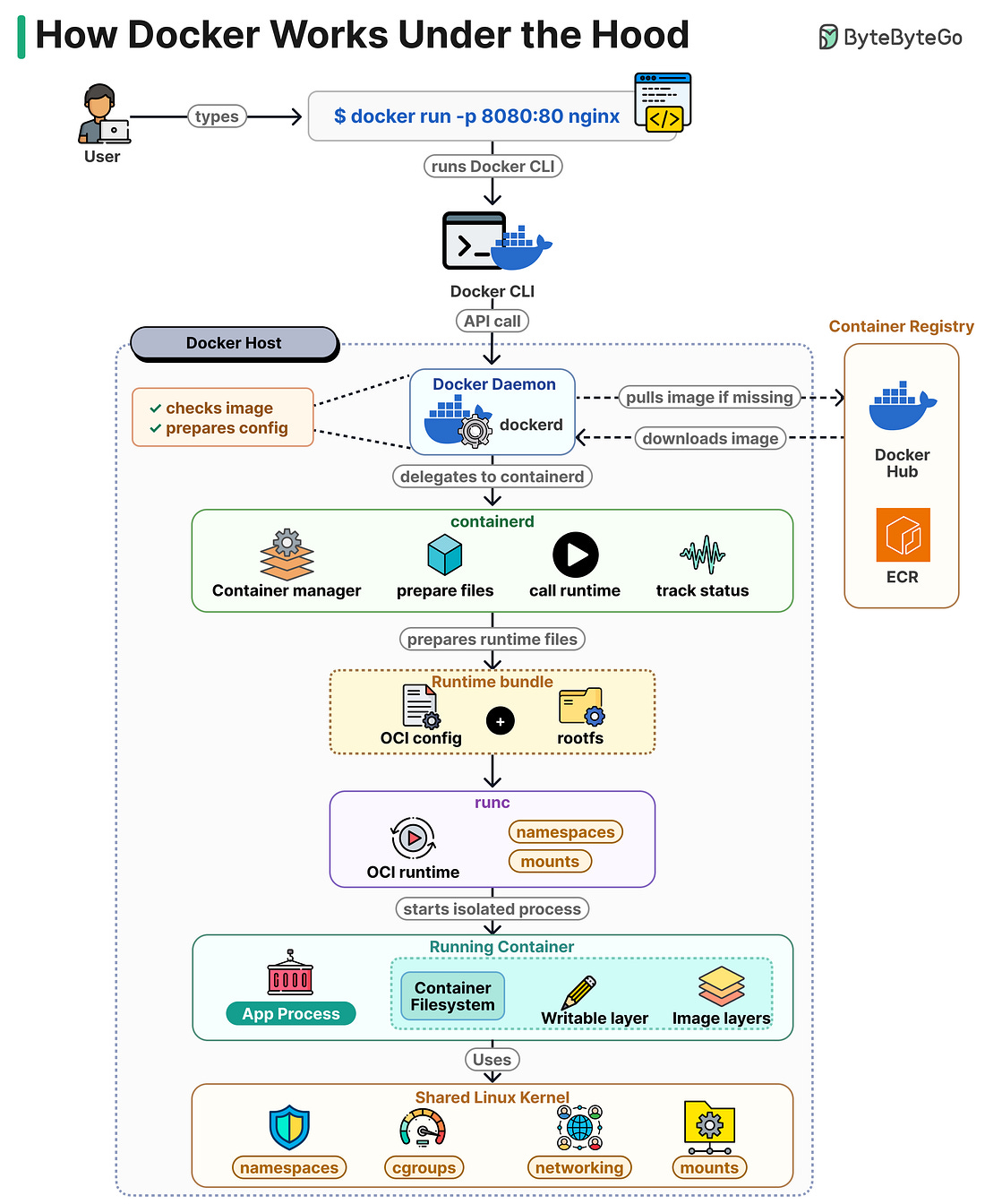 |
The Docker CLI takes your command and sends it as an API call to the Docker daemon (dockerd) running on the host.
dockerd checks whether the nginx image is already on disk. If it is not, it pulls it from a registry like Docker Hub or ECR. Then it prepares the container config.
dockerd does not start the container directly. It passes the request to containerd, which manages the container lifecycle. containerd prepares the runtime files and assembles a bundle made of the OCI config and the root filesystem.
containerd then calls runc. runc reads the bundle, creates the Linux namespaces and mounts defined in the config, and starts the process inside them. Once the process is running, runc exits.
The running container is a regular Linux process with its own PID, network, and mount namespaces. Its filesystem is a stack of read-only image layers with a writable layer on top, so changes inside the container do not modify the image.
Isolation comes from kernel features. Namespaces separate processes, cgroups limit CPU and memory, and network namespaces give the container its own interfaces. There is no guest OS and no hypervisor.
Over to you: where do most of your container issues show up, the image, networking, or resource limits?
git merge vs git rebase
Both commands get your changes into main. The difference is what they do to history.
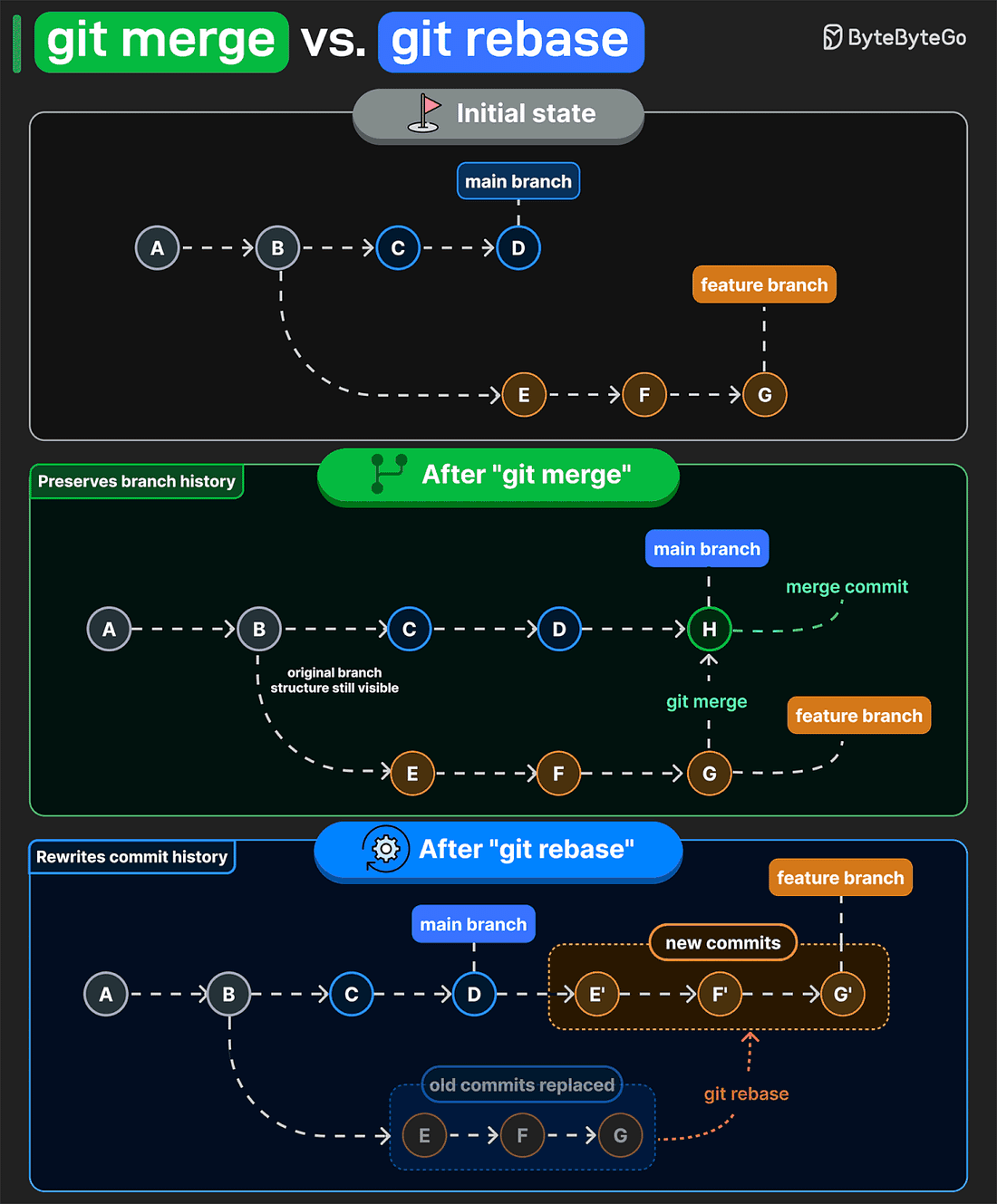 |
git merge preserves the original branch structure. If main and feature branches have diverged, Git creates a merge commit and keeps both lines of development . That makes it easy to see where work branched off, what got merged, and when it came back together.
git rebase takes a different approach. It reapplies your feature commits onto the latest main branch as new commits. The result is a linear history. But those rebased commits get new IDs, so rebasing a shared branch usually means force-pushing and making others sync to rewritten history.
That is why teams often use merge on shared branches. It keeps existing commit IDs unchanged, so everyone can pull without dealing with conflicts. Rebase is more useful for cleaning up your own branch before you merge it.
Over to you: which command do you prefer?
12 popular vector databases help you get the right context to the model
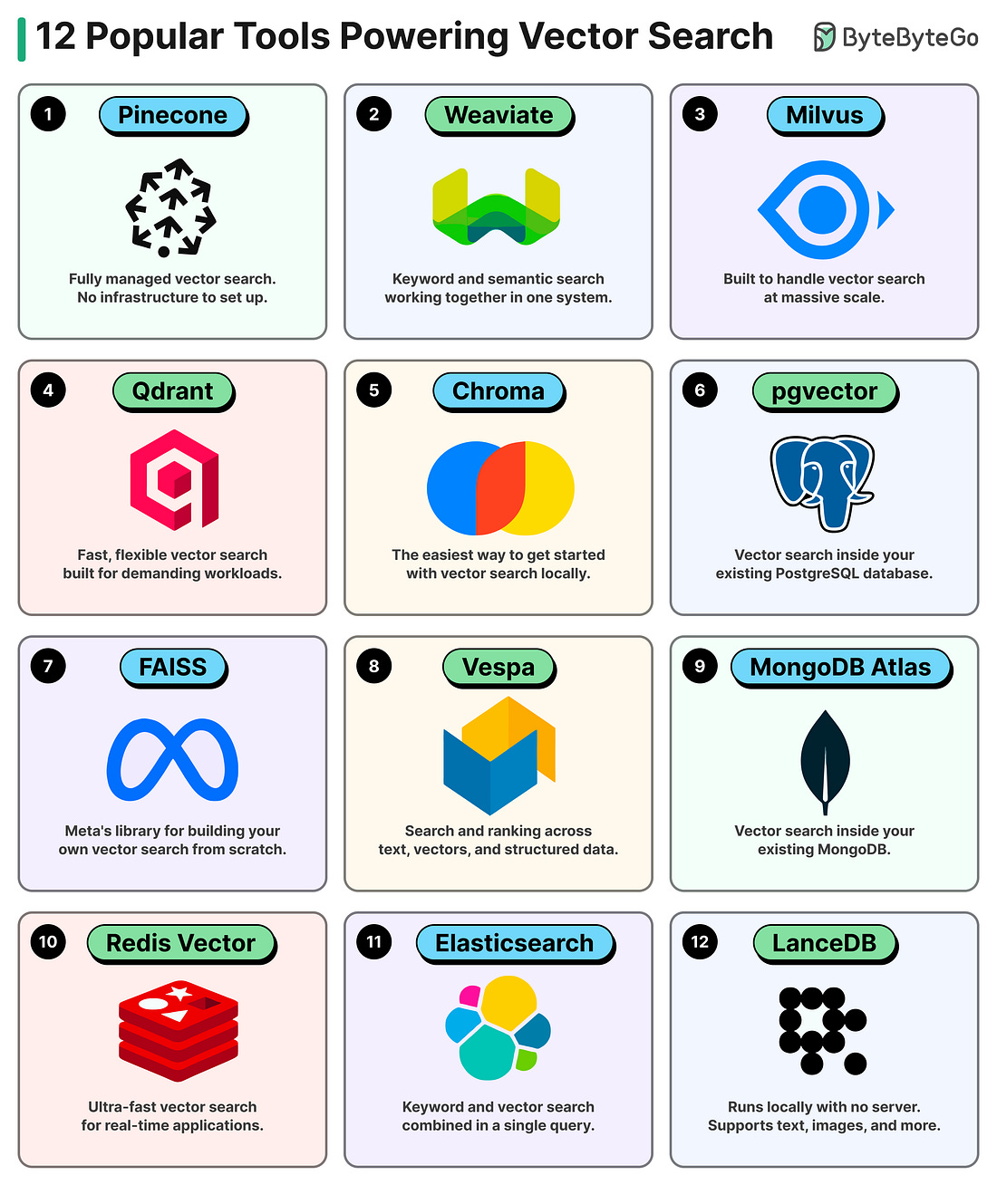 |
Pinecone: Fully managed, serverless with hybrid search (dense