Error messages on forms usually don’t have the best user experience. If users find it difficult to correct their input, they may abandon your form before completing it. To prevent form abandonment, ensure your error messages are clear and intuitive. Here’s a comprehensive list of the most common mistakes to avoid in your form error messages.
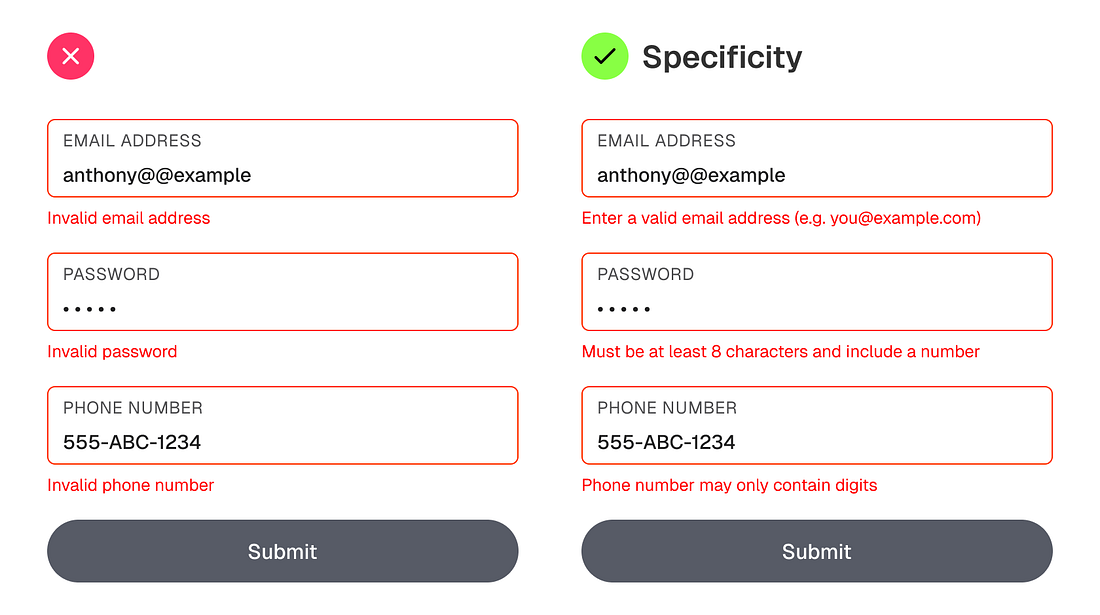
When a form returns a bare “invalid,” it leaves the user guessing — “Invalid how? Why?” For instance, an email field should say “Enter a valid email address (e.g. you@example.com)” rather than “Invalid Email.” The specificity allows users to quickly correct the format of their input.