|
Hola , How are you doing? There’s been a lot of hype around Claude working with Power BI. So in this week’s video, I wanted to slow things down a bit and give it a realistic check with some real-life data problems. I tested it across 3 different levels of tasks, from data modeling and DAX to data cleaning in Power Query, just to see how well it actually performs when the work gets real. And the results are surprising!
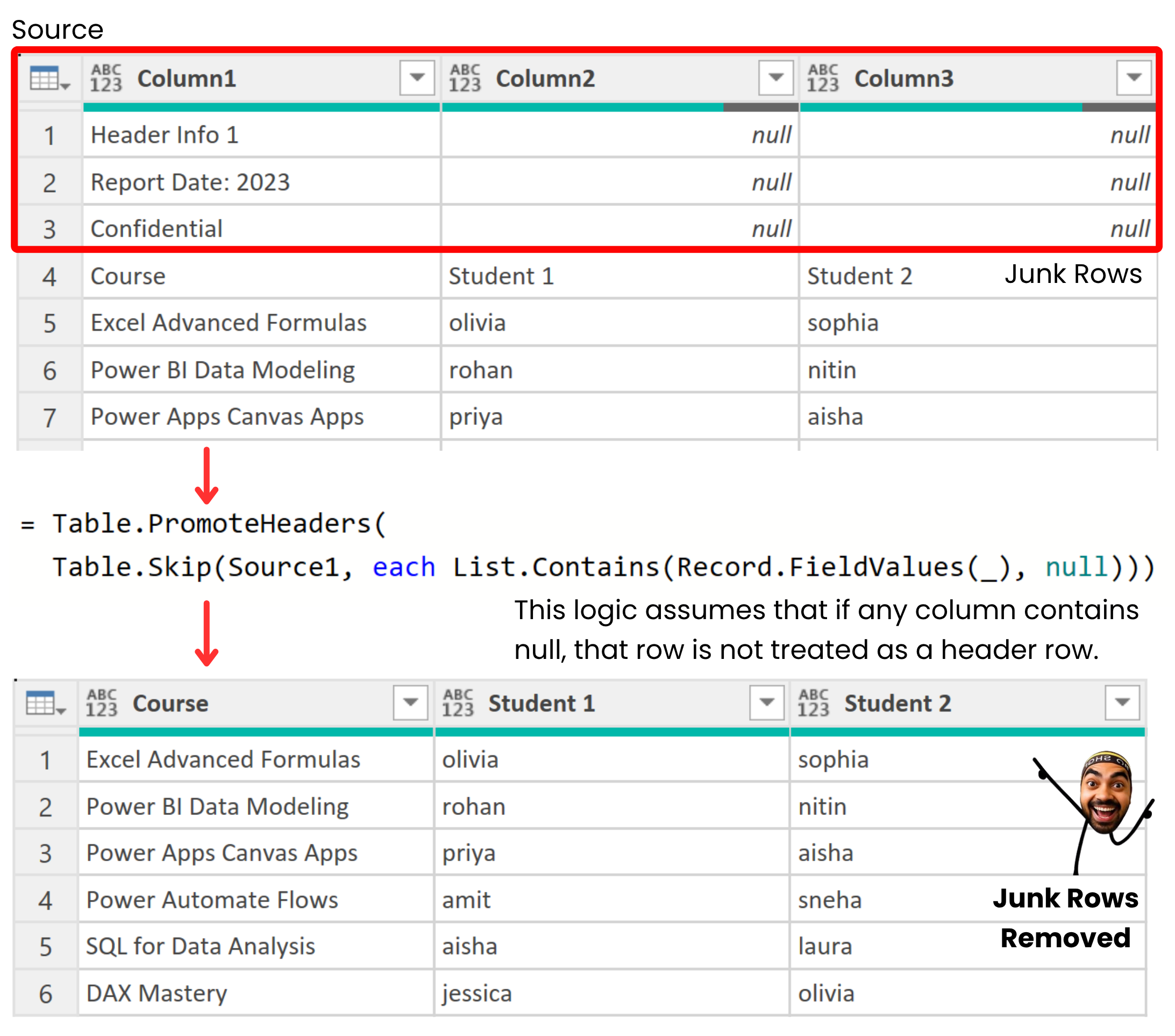
Remove Top Junk Rows Dynamically
Messy files often come
with extra rows before the real headers.
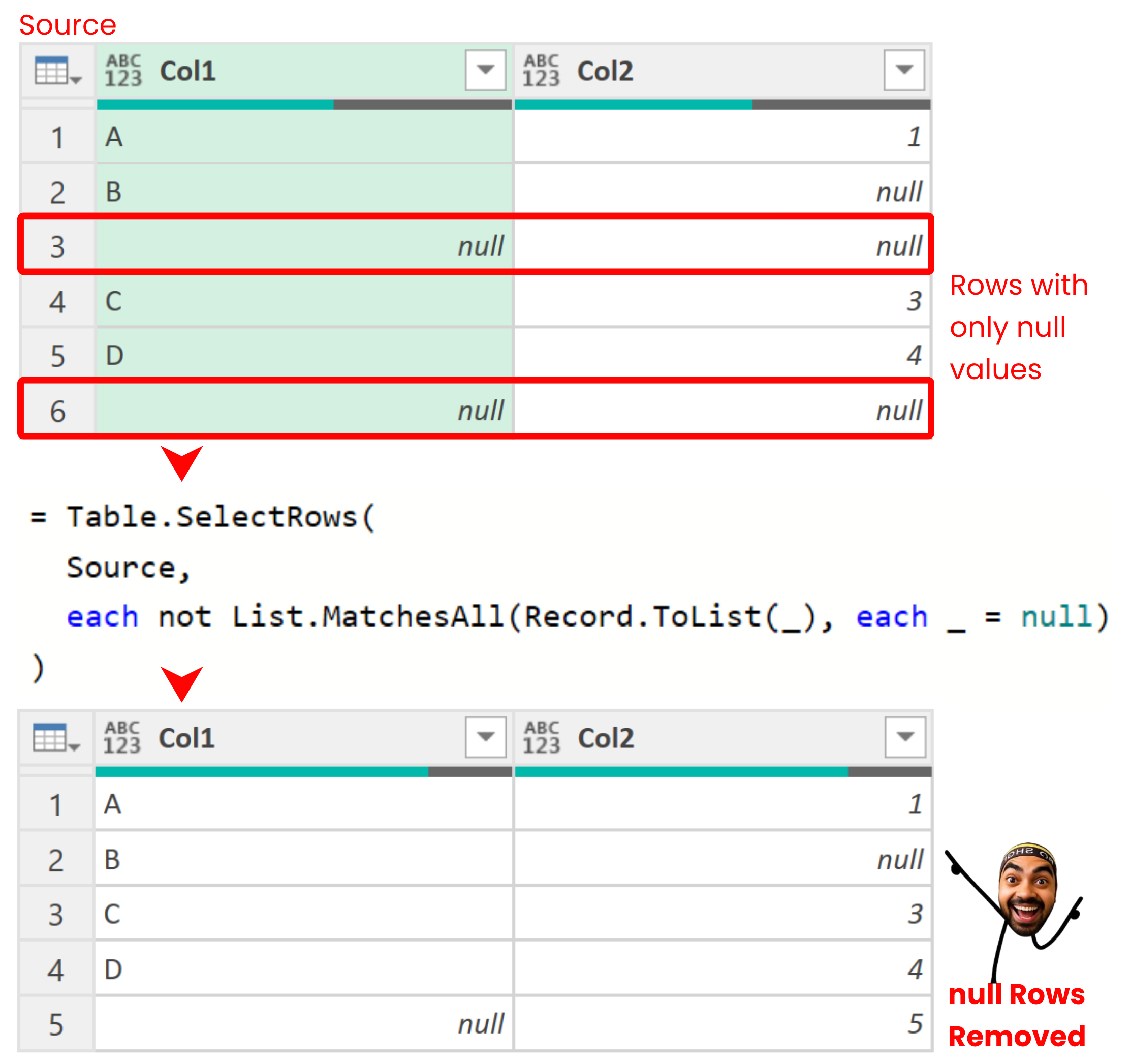
Nifty M Trick to Remove Fully Blank Rows
Blank rows can sneak into your data, especially when you’re working with untidy
source files.
This is Rehet (2 months old) getting punched in the face. I love this pic! |