During mocap production, users may encounter problems such as unstable movement, distorted poses, or inaccurate tracking, but often aren’t sure which settings should be adjusted. This guide is based on the most common issues found in real production workflows and explains, in a clear and practical way, how to optimize capture quality through proper parameter selection and workflow adjustments.
|
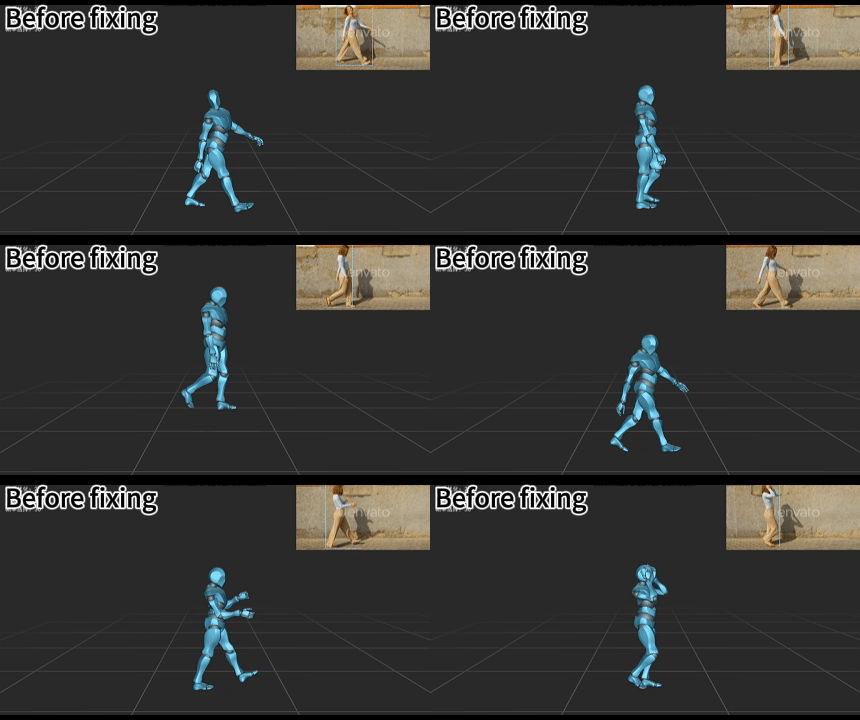
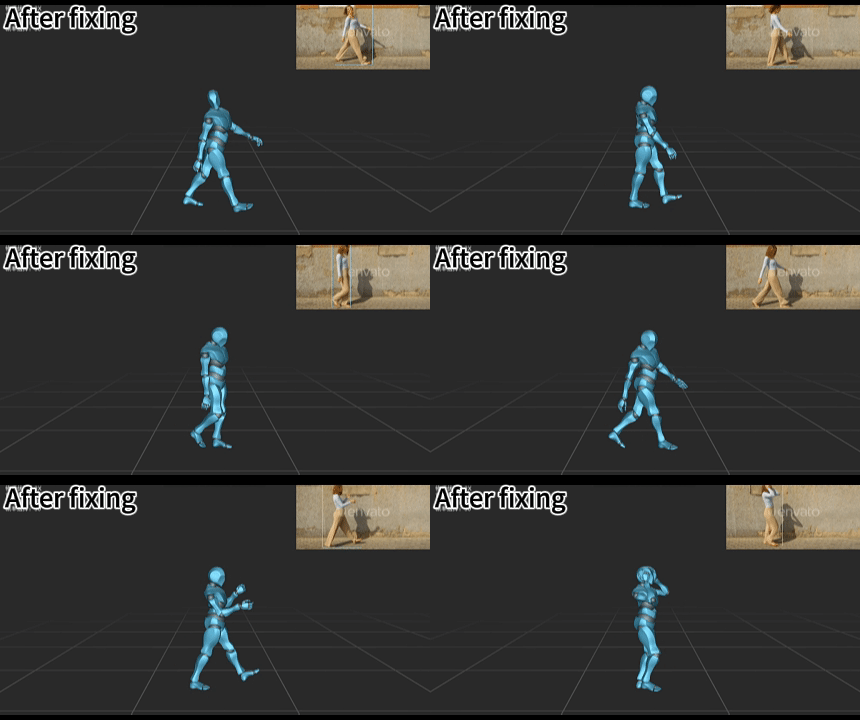
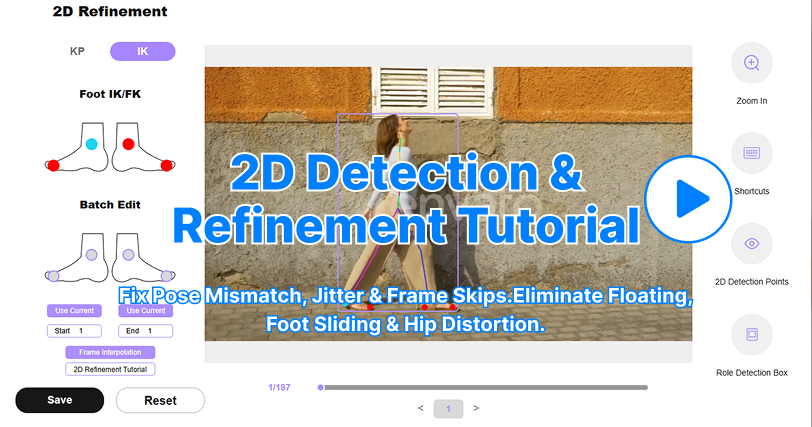
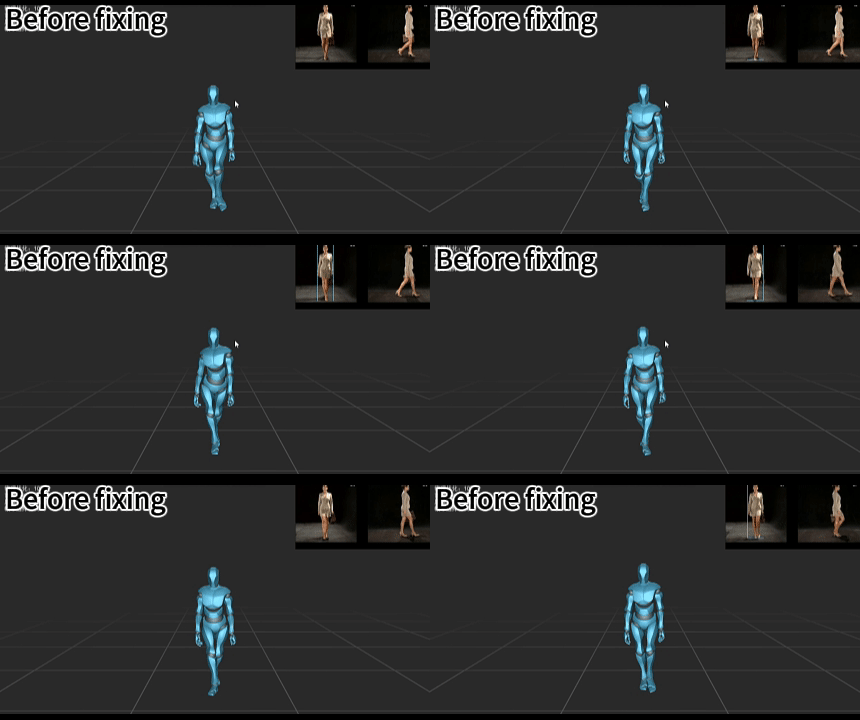
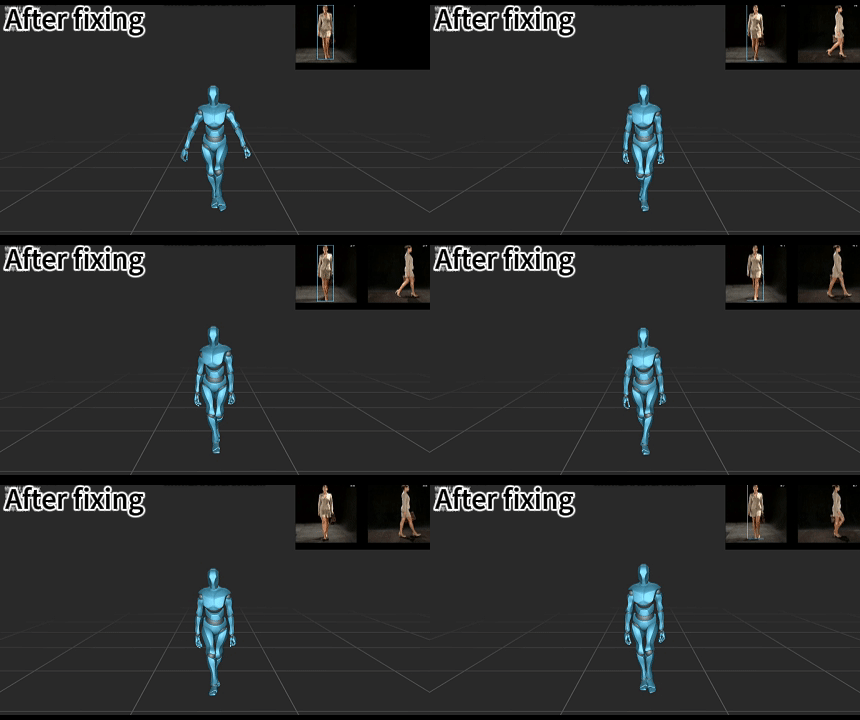
When capturing walking or running motions, the character may occasionally produce unexpected bouncing or jittering. This issue is usually caused by inaccuracies in 2D keypoint tracking. To fix this, open the IK tab inside the 2D Correction panel and manually adjust the foot contact constraints before regenerating the motion data. This helps stabilize lower-body tracking.
|
For more details on using the 2D Correction tools, please refer to:
|
2. Character Launching / Sudden Upward Drift
|
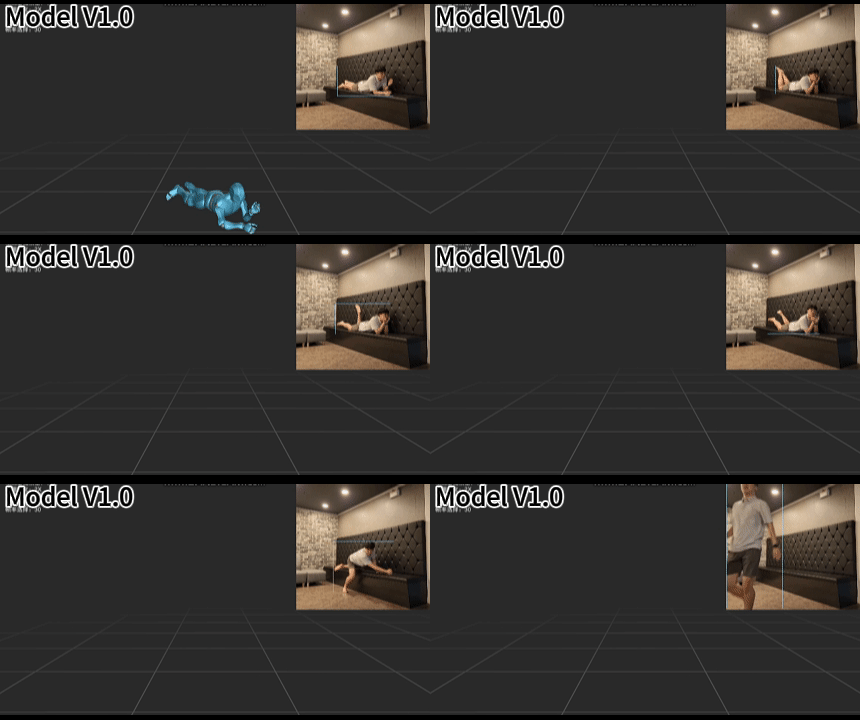
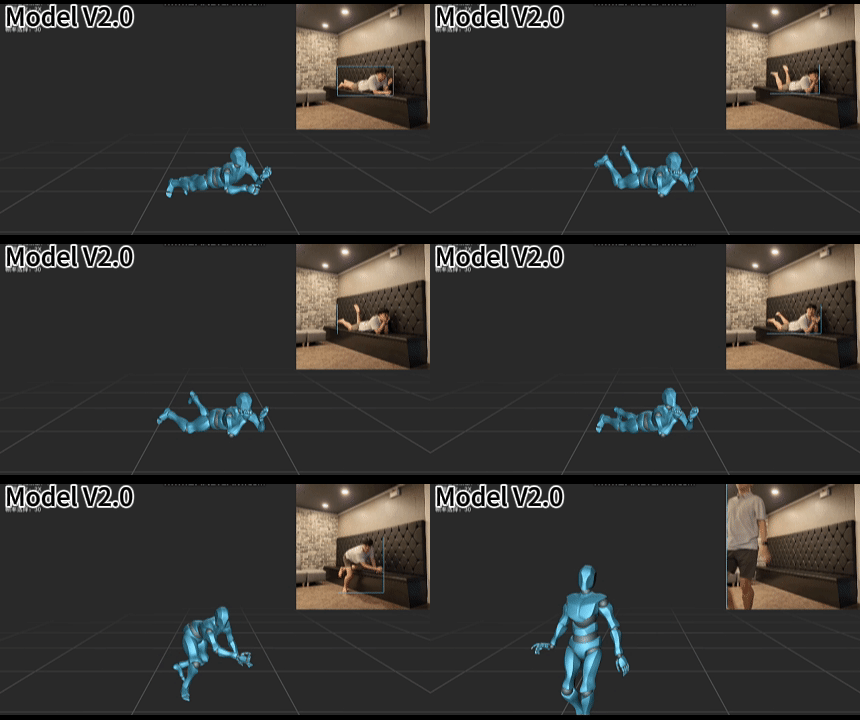
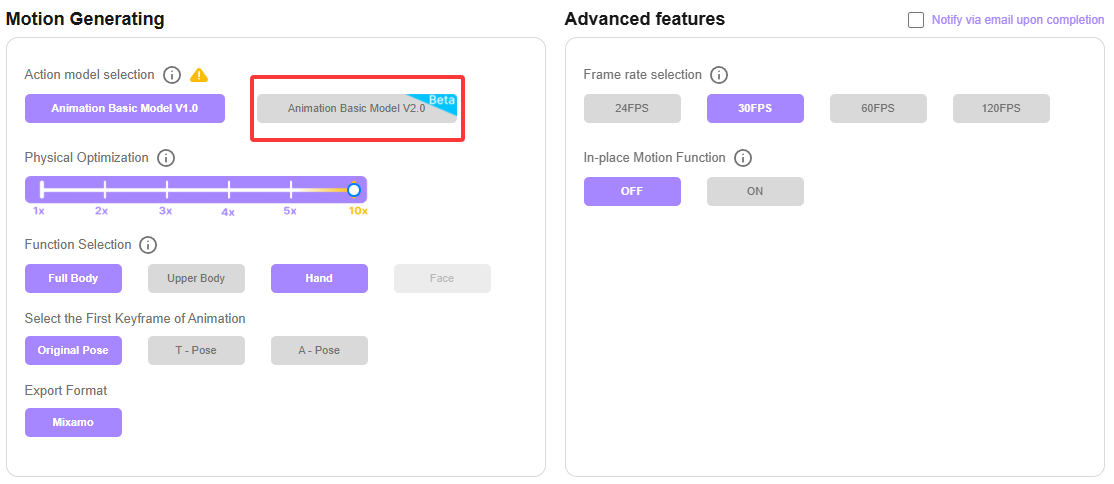
When capturing special motions such as lying down, the character may occasionally shoot upward or lose proper vertical positioning during playback. This issue is typically caused by errors in 2D keypoint tracking. To fix this, go to the IK tab in the 2D Correction panel and manually adjust the foot-ground constraints before reprocessing the mocap data. This can effectively prevent sudden upward drifting. For the detailed workflow, refer to Issue 1: Random Bouncing. In addition, Animation Basic Model V2.0 is specifically optimized for handling complex motions that are more prone to tracking instability. We recommend enabling Animation Basic Model V2.0 when processing these types of actions.
|
3. Hip Stretching / Lower-Body Twitching
|
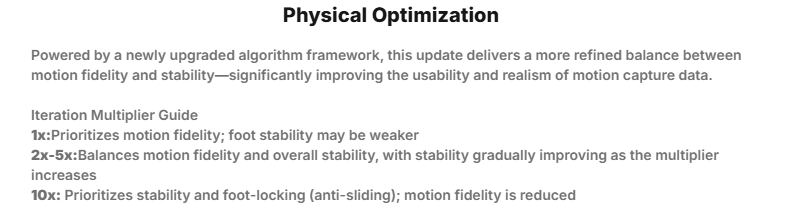
When using 10x Physical Optimization, the stabilization strength may become overly aggressive, excessively restricting lower-body movement and causing hip stretching or twitching. To avoid this issue, we recommend reducing the Physical Optimization setting to 1x–5x, depending on your needs.
|
When using Animation Basic Model V1.0, certain motion types may not be fully reconstructed, which can result in unwanted arm spinning or self-rotation issues. Switching to Base Model v2.0 can effectively improve arm stability and prevent these problems.
|
5. Poor Rotation Tracking
|
When capturing turning or spinning motions, the model may occasionally experience reduced pose tracking accuracy. This is usually caused by blurry footage, overly fast turns, or unstable camera movement. For best results, we recommend using footage with: clear image quality, smooth turning speed,and stable camera movement.This can significantly improve rotational tracking quality. Additionally, the Physical Optimization system in Animation Basic Mode V1.0 provides better stability for spinning motion. For motion clips involving fast turns or spins, enabling Base Model 1.0 is recommended.
|
6. High Kick / High Leg Lift Motions
|
When capturing high leg lift or kicking motions, the generated animation may occasionally appear stiff or lose important motion details. This is usually caused by large movement ranges or fast motion speed. We recommend using 1x–3x Physical Optimization to better preserve key motion characteristics such as leg height, swing timing, and movement rhythm. In addition, the Physical Optimization system in Animation Basic Mode V1.0 can further improve tracking stability for these types of motions. Enabling Animation Basic Mode V1.0 is recommended when processing difficult motions.
|
When capturing split movements, the model may occasionally experience limb positioning errors or tracking confusion. This is usually caused by limb occlusion, motion blur, or insufficient visual distinction between clothing and the background. We recommend uploading split videos with: clean backgrounds,fully visible limbs,smooth and stable motion,and clear contrast between the character’s clothing, body, and background.This can significantly improve capture accuracy.
|
Best regards,
QuickMagic Team
|
|