|
Director of Education isn't really a coding role. But every once in a while, I get an idea that's too exciting to explain to anyone, and I'm too lazy to spend three meetings iterating on it with the team. The unlearn.dev landing page that's live now started as one of those ideas, and so did the UI on the training platform where the content lives.
This email is the workflow I actually used to ship both, step by step.
Before the real landing page, we needed a lead generation page. One page with a signup form to see who'd actually be interested. That's where I started.
Step 1: Branding the leadgen page in Emergent
I wanted something on screen fast without dragging the design team through a Figma board.
I wrote the prompt in ChatGPT first, every detail I wanted on the page, every colour I had in mind, then pasted it into emergent.sh.
A few iterations later, I had something I was actually happy with. Brand colours, a type pairing, a rough page layout that could carry the leadgen ask.
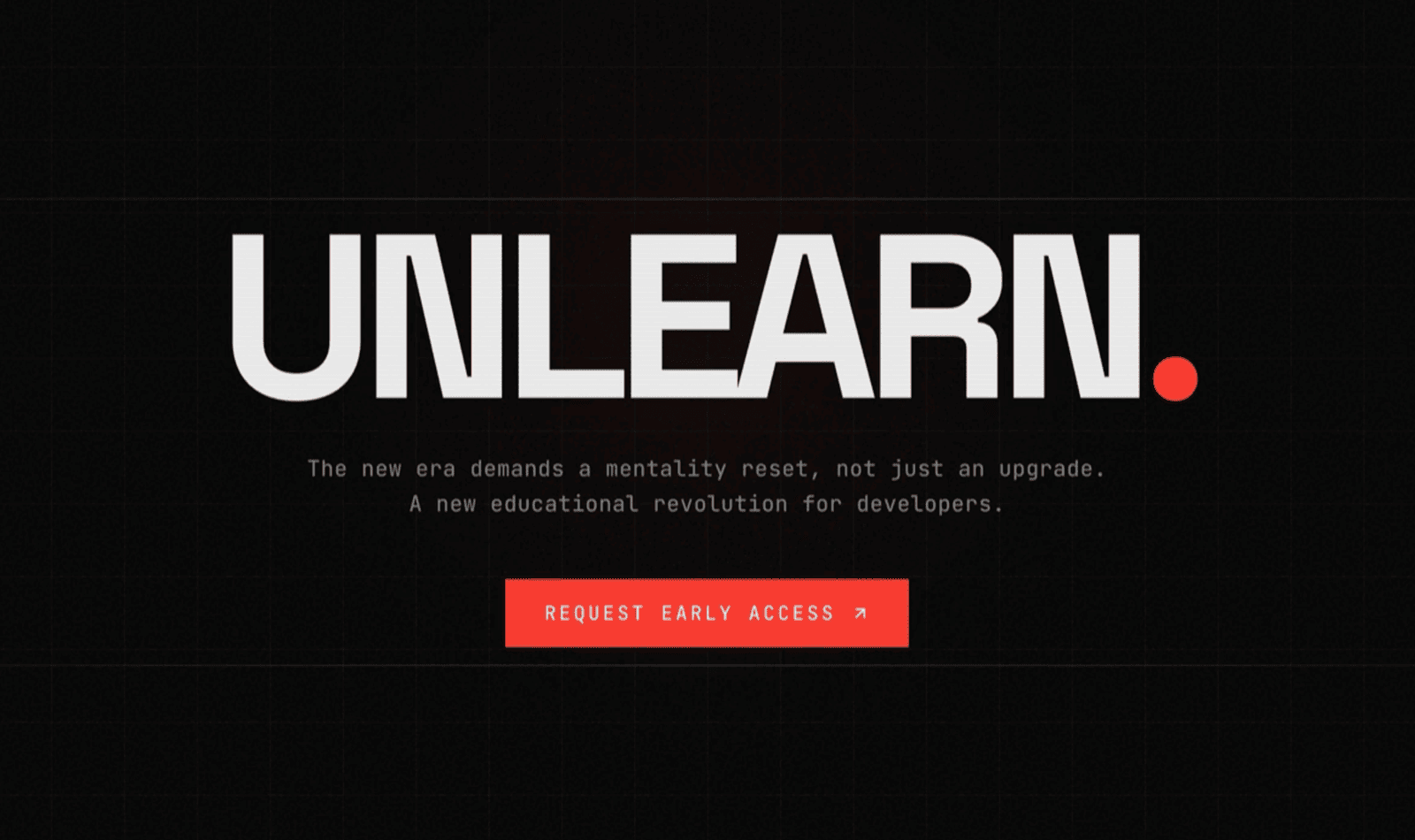
Screenshot of Emergent output
Pulled the project to my machine, and Emergent had built it in Next.js.
I'm a Vue and Nuxt person, I love Nuxt for SSR, and I hadn't signed up to write React again.
But what the hell, it's the AI era. I wrote React a few years back, AI can carry me through the parts I don't remember. Migrating to Nuxt felt like work, so I just stayed in Next.
A couple of weeks later, time to ship the real landing page, the one that's live now (I love that page).
I had the leadgen project as a starting point, still in Next, with a handful of CSS variables already in place. What I needed to ship was an alive, not-boring landing page, without dragging the design team in.
I prepared the landing page copy in Notion, then opened Cursor with Claude Code, and the real workflow began there.
Step 2: Three skills loaded into the project
I loaded three skills/plugins to help Claude:
- frontend-design for design judgment
- superpowers for general engineering discipline
- ui-ux-pro-max for an initial palette, fonts, and design theme
The first two go on quietly in the background and shape what Claude does without me having to repeat myself in every prompt. ui-ux-pro-max did the initial generation work. The first run was just AI slop, the kind you see everywhere, but I kept it as a starting point anyway.
That alone wasn't going to do it, so the next move was the one that actually mattered the most...
Step 3: DESIGN-SYSTEM.md as the single source of truth
I asked Claude to read every CSS variable already in the project and write one doc called DESIGN-SYSTEM.md, with tokens for colour, type, spacing, radius. Anything that could become a design decision lived in this file as a rule.
// DESIGN-SYSTEM.md
## 1. Color Palette
## 2. Typography
## 3. Spacing & Layout
..etc.
Then I went on describing what I needed section by section through the page with one strict rule...
Every CSS value comes from DESIGN-SYSTEM.md, no inline styles and no improvising. If a section needed something the doc didn't have, the doc grew first, then the section came second.
That discipline is what kept the page from looking like every other AI-built site.
Step 4: CLAUDE.md and Claude Code hooks to keep the agent honest
The agent will go rogue if you let it. Three iterations in, it'll start sneaking in a padding: 14px because the doc only has 12 and 16, and 14 just felt right for some reason. I caught a few of these, and a few more probably slipped past me before I added the hook.
Two things kept it on rails:
- I wrote
CLAUDE.md to be rude to the agent on purpose (not joking). The file reads like a legal contract, all 'must' and 'shall not', no diplomacy. Every UI change must verify against DESIGN-SYSTEM.md, no inline styles, no off-token values. Ask if you don't know, never assume.
- Claude Code hooks for an additional layer of enforcement. Hooks run automatically around agent actions, so I added one that catches inline styles or off-token values and stops the change.
Step 5: 21st.dev MCP for components most people aren't using
With the design system in place and the agent on rails, I went back to building the page section by section. The first pass was still boring. The components looked exactly like every AI-built page on the internet. AI defaults to whatever it has seen most of in training, and the most-used components keep getting used. It's a circle.
So I connected the 21st.dev MCP server and pulled in components from quieter corners of the library, patterns that aren't on every other landing page. The simplest trick I know to dodge AI slop is to refuse to start from the bucket AI starts from.
Step 6: The beautiful impeccable skill for the polish layer
Then I ran the impeccable skill on top of everything. It comes with a bunch of commands like /bolder, /quieter, /typeset, and more, each one tightening a specific layer of the page. Spacing, type rhythm, accessibility, responsive behaviour, tap targets, contrast, all the small consistency stuff that's invisible when right and instantly obvious when wrong.
This was the game-changer. It pushed me on accessibility I would have handwaved past, and made me care about the spacing scale. Working through it felt like I was making art and being good at it. I appreciate this skill more than is probably normal.
With the landing page done, I wanted to do the same on the platform itself. I specced the platform, wireframed it in Figma AI, then downloaded the wireframes into a Nuxt project. White-box, no skin yet.
Porting my design in was the easy part. The DESIGN-SYSTEM.md doc came over cleanly, rules and enforcement included.
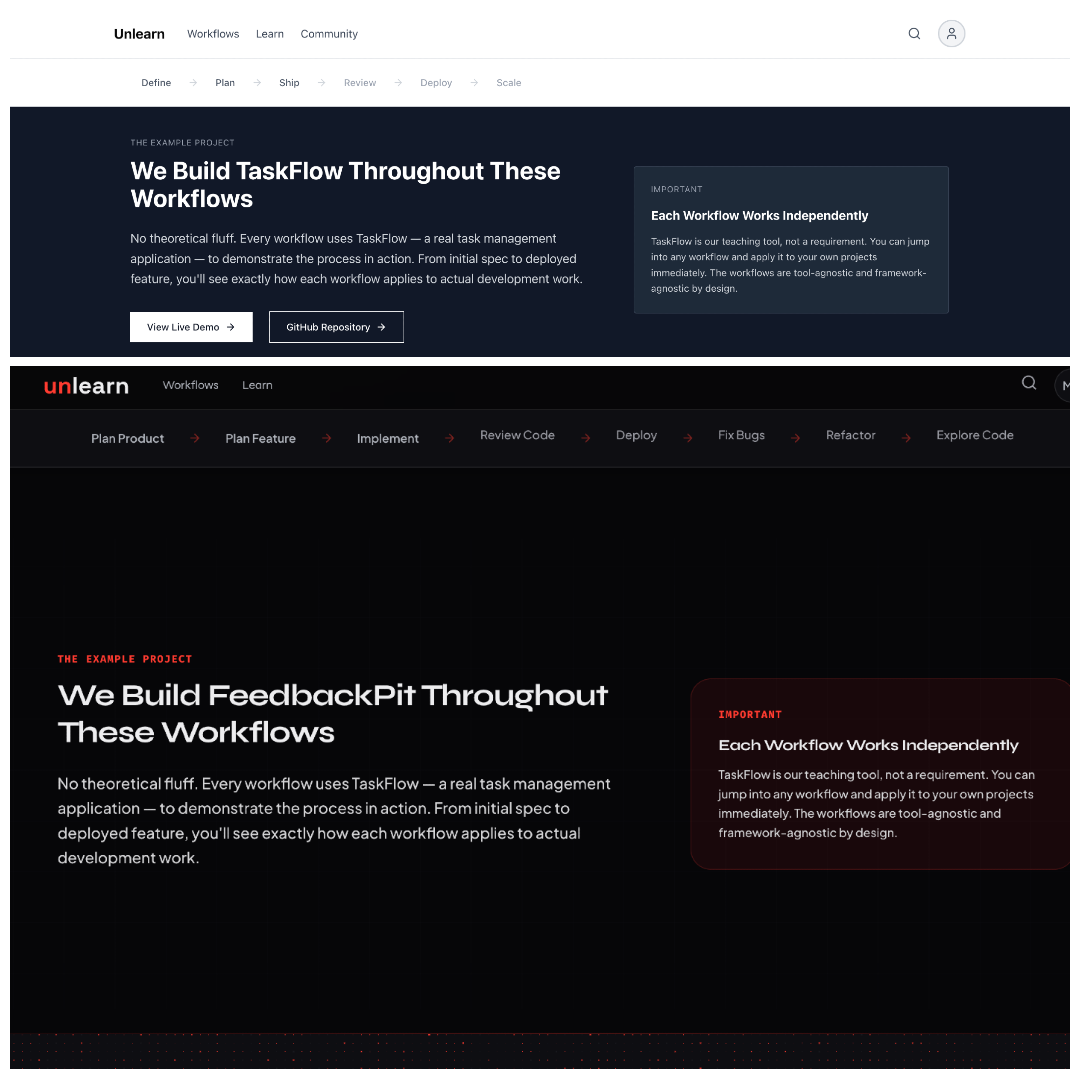
Screenshot of the wireframe and Unlearn platform
So yeah. The landing page runs on Next, the platform runs on Nuxt, same design system, two stacks. It just kind of happened. I wouldn't advise doing it on purpose.
Honestly, this whole way of working still feels strange to me. I'm directing an agent through a markdown file, and the work I'm proud of is the doc.
I mean, not to mention the brain shader I added to the hero section. It was originally an SVG, but I had the agent load it locally, parse the lines and curves, and turn the whole thing into a shader. Just because I could, and willing to spend some tokens (what a world we live in now, right?).
The whole loop matters. If you steal one move from it, steal this one.
Before you let AI generate any UI, write your design system as a markdown doc and pin it as the source of truth. Then make the agent obey it, with CLAUDE.md and hooks, or whatever your tooling supports.
This is actually becoming a thing. Google's Stitch supports a DESIGN.md convention along the same lines, and the impeccable skill picks it up automatically. But I still prefer my own DESIGN-SYSTEM.md because of how aggressively detailed I was.
You might think going that detailed is overkill. I thought so too, until I tried building without one.
Most "AI slop" pages, in my experience, are AI guessing because nothing told it not to. Once it has tokens to obey, the work changes shape. You stop fighting hallucinated paddings. The output becomes the product of your discipline plus the agent's execution, instead of the agent's defaults plus your patience.
Honestly, the workflow I just walked through was heavily inspired by Daniel Kelly's AI for UI Design and Automated Testing course on Unlearn. About 30 lessons that go a lot deeper than I could fit here.
That's why we built Unlearn.
The world isn’t short on AI tutorials right now, but almost none of them target how engineers actually work.
The platform ships 8 workflows on how to spec, build, review, and ship with AI. Each one is a system you install, not a guide you read, shipping with video lessons, prompts, templates, agent skills, and MCP servers you can run with your AI agents.
Besides those workflows are five full AI courses (around 100 lessons). The course I mentioned above is one of them. And this is just what we shipped at launch, new content keep landing every week.
It's never been easier to get AI to write code. The gap is the system around it, the rails and rules that keep it from going rogue. That's what Unlearn ships.
I think you'll be surprised at how clean the work gets, and at how much of your judgment ends up shaping it.
If you want to see what that looks like, Unlearn is where I'd point you →
Talk soon,
Mostafa Said
Director of Education
|