|



The missing piece of your AI ROI model (Sponsored)
 |
Only 35% of engineering leaders report significant ROI from AI, and most ROI models miss the full picture.
The majority of engineering time is spent on investigating alerts, diagnosing incidents, and coordinating decisions across tools that don’t share context. The cost of that work rarely appears in ROI models.
When organizations only measure what it costs to produce code, they’re missing the downstream costs that pop up in production.
Learn how engineering teams at Zscaler, DoorDash, and Salesforce are measuring AI ROI across the full engineering lifecycle and finding the largest returns in production.
When OpenAI shipped Codex, their cloud-based coding agent, the hardest problems they had to solve had almost nothing to do with the AI model itself.
The model, codex-1, is a version of OpenAI’s o3 fine-tuned for software engineering. It was important, but it was also just one component in a much larger system. The real engineering went into everything around it.
How do you assemble the right prompt from five different sources? What happens when your conversation history grows so large it threatens to exceed the model’s memory? How do you make the same agent work in a terminal, a web browser, and three different IDEs without rewriting it each time?
When the Codex team needed their agent to work inside VS Code, they first tried the obvious approach and exposed it through MCP, the emerging standard for connecting AI models to tools. It didn’t work. The rich interaction patterns that a real agent needs, things like streaming progress, pausing mid-task for user approval, and emitting code diffs, didn’t map cleanly to what MCP offered. So the team built a new protocol from scratch.
In this article, we will look at how OpenAI built the right orchestration layer around the model.
Disclaimer: This post is based on publicly shared details from the OpenAI Engineering Team. Please comment if you notice any inaccuracies.
What is Codex?
Codex is a coding agent that can write features, fix bugs, answer questions about your codebase, and propose pull requests.
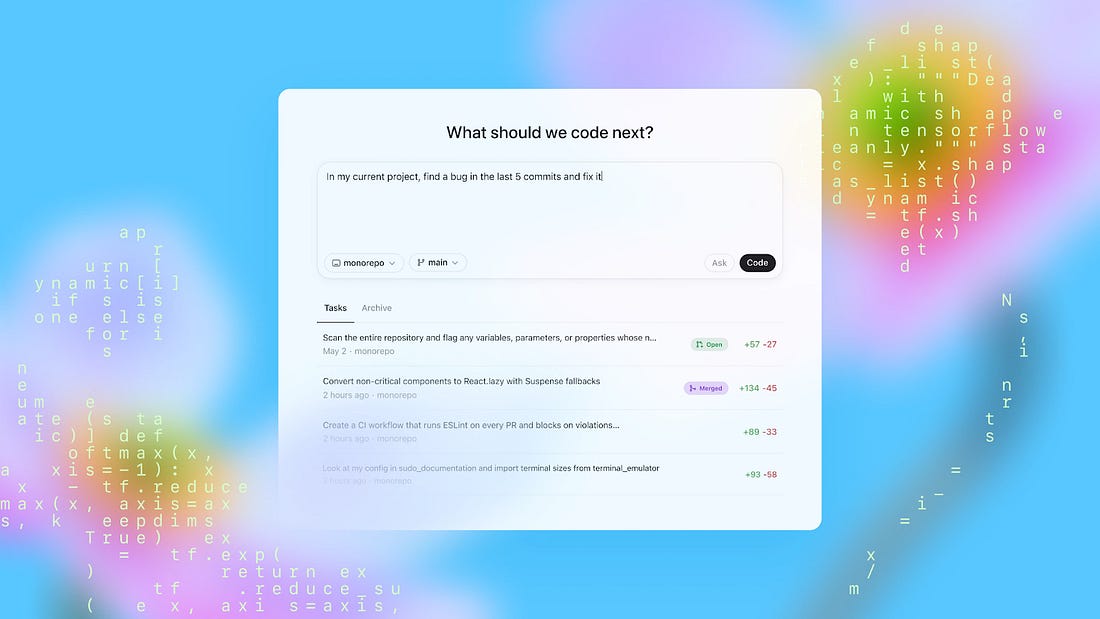 |
Each task runs in its own isolated cloud sandbox, preloaded with your repository. You can assign multiple tasks in parallel and monitor progress in real time.
How Codex works behind the scenes is also quite interesting. The system has three layers worth understanding: the agent loop, prompt and context management, and the multi-surface architecture that lets one agent serve many different interfaces.
The Agent Loop
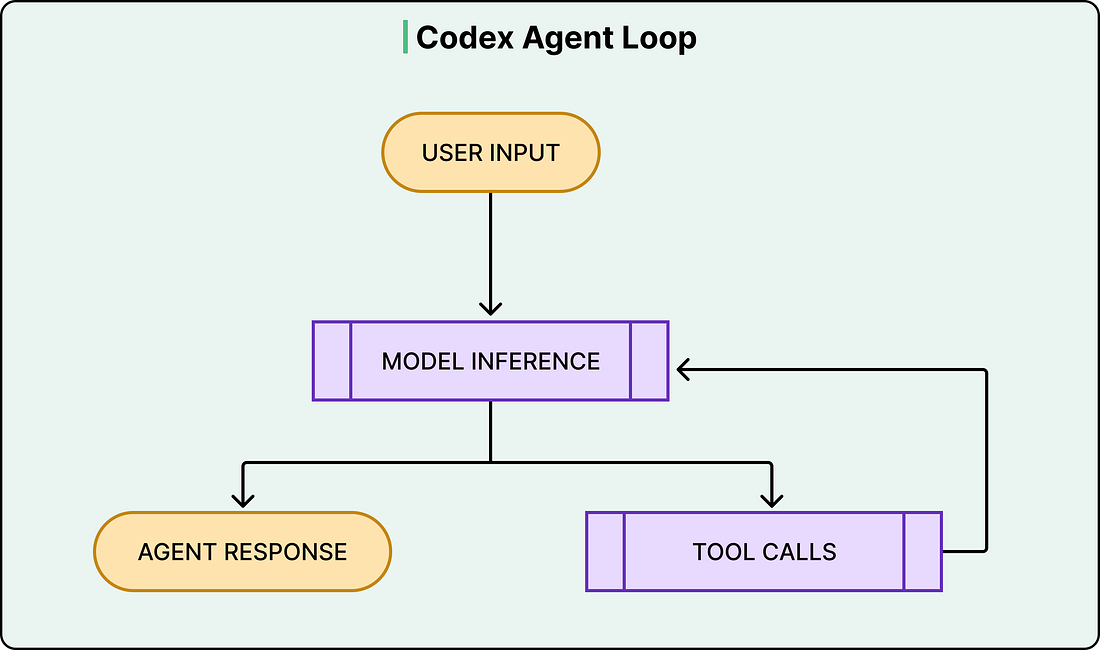
At the heart of Codex is something called the agent loop. The agent takes user input, constructs a prompt, sends it to the model for inference, and gets back a response.
However, that response isn’t always a final answer. Often, the model responds with a tool call instead, something like “run this shell command and tell me what happened.” When that happens, the agent executes the tool call, appends the output to the prompt, and queries the model again with this new information. This cycle repeats, sometimes dozens of times, until the model finally produces a message for the user.
See the diagram below:
 |
What makes this more than a simple loop is everything the harness manages along the way.
Codex can read and edit files, run shell commands, execute test suites, invoke linters, and run type checkers. A single user request like “fix the bug in the auth module” might trigger the agent to read several files, run the existing tests to see what fails, edit the code, run the tests again, fix a linting error, and run the tests one more time before producing a final commit.
The model does the reasoning at each step, but the harness handles everything else, such as executing commands, collecting outputs, managing permissions, and deciding when the loop is done.
This distinction between model and harness matters because it shapes how developers actually use Codex. OpenAI’s own engineering teams use it to offload repetitive, well-scoped work like refactoring, renaming, writing tests, and triaging on-call issues.
The agent loop also has an outer layer. Each cycle of inference and tool calls constitutes what OpenAI calls a “turn.” However, conversations don’t end after one turn. When the user sends a follow-up message, the entire history of previous turns, including all the tool calls and their outputs, gets included in the next prompt. This is where things get expensive, and where the next layer of complexity kicks in.
See the diagram below: