|

|
|
AI-powered affiliate & referral programs
|
|
|
|
|
Make your affiliate portal better
We've shipped a round of updates that give you more control over what your partners see — and how they experience your portal from the moment they land on it.
|
|
|
|
Show the right resources to the right partners
Not every partner needs to see the same materials. With tag-based resource visibility, you can now control exactly which resources appear on each partner's portal — based on the tags you've assigned to them.
Here's what that unlocks:
- Reward top partners with premium-only assets they can't get elsewhere
- Segment onboarding content by partner type — beginner tips for new sign-ups, advanced strategies for experienced affiliates
- Control campaign access — limit seasonal resources to relevant partners, and simply remove the tag when the campaign ends
- Keep portals clean — if all resources are hidden from a partner, the Resources menu item disappears from their navigation automatically
By default, all resources remain visible to everyone. Tag-based visibility only kicks in when you turn it on for a specific resource — so there's nothing to break.
|
|
|
Put your program details front and center
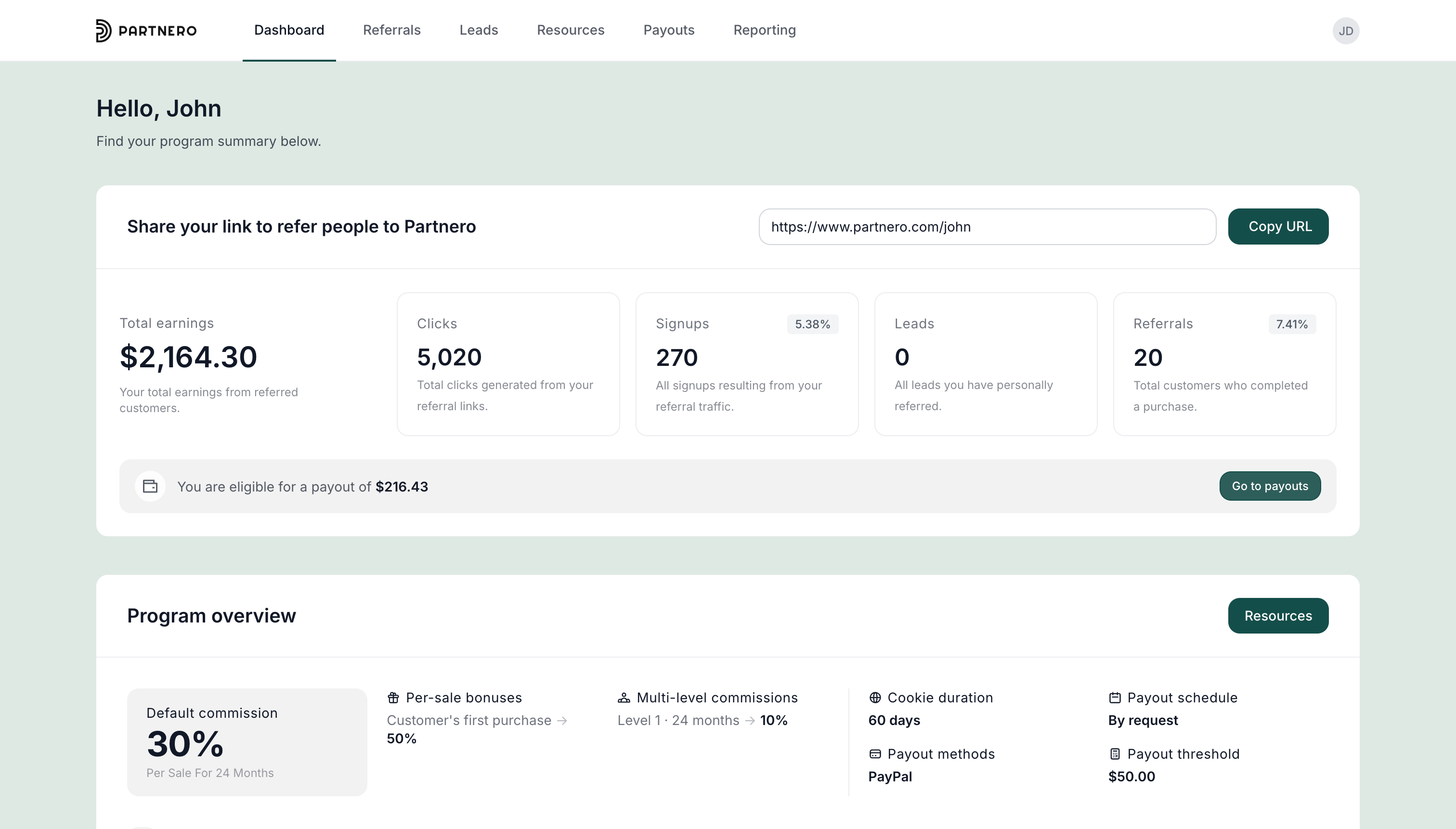
The new program overview block lets you add commission rates, cookie duration, payout schedule, and program guidelines directly to the partner dashboard — so affiliates always have the full picture in one place. You can also add collapsible sections covering your product, who it's for, and why it's worth promoting. Less back-and-forth, better-informed partners.
|
|
|
|
|
|
|
|
Embed anything into the partner dashboard
Need to share a product walkthrough video, collect partner feedback, or add a custom widget? The new embed code block lets you drop any HTML or JavaScript content directly onto the dashboard. You can add multiple blocks and optionally wrap them in a styled section that matches your portal design.
|
|
|
|
|
|
|
|
Show partners exactly how much they can earn
The earnings calculator is a resource you can add to your Program Page. Prospects can move a slider to see projected commissions based on the number of customers they refer — across your pricing tiers, with support for both one-time and recurring models. A simple way to make your affiliate offer more compelling before someone even signs up.
|
|
|
|
|
|
|
|
Give partners ready-to-use social media templates
Add a social media templates resource to your portal and partners can generate branded Instagram and TikTok visuals — stories, square posts, and captions — with their referral link and promo code already included. No extra tools needed on their end.
|
|
|
|
|
|
|
|
Customize your login & sign-up page sidebars
The sidebar on your portal's login and sign-up pages can now show custom content instead of just an image. Add your logo, write a short headline, set your brand colors. It's the first thing a prospective partner sees — make it count.
|
|
|
|
|
|
|
|