|



Debugging Next.js in Production (Sponsored)
 |
Next.js makes it easy to ship fast, but once your app is in production it can be hard to tell where errors, slow requests, or hydration issues are really coming from.
Join Sentry’s hands-on workshop where Sergiy Dybskiy will dive into how these problems show up in real apps and how to connect what users experience with what’s happening under the hood. 🚀
This week’s system design refresher:
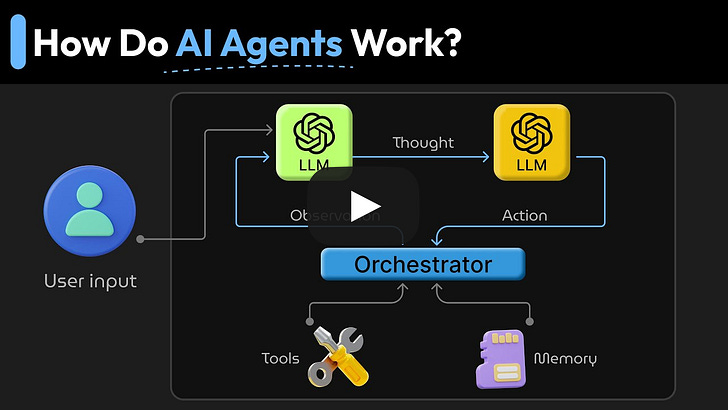
What Are AI Agents & How Do They Work? (Youtube video)
Behind the Scenes: What Happens When You Enter Google.com
Understanding the Linux Directory Structure
Symmetric vs. Asymmetric Encryption
Network Troubleshooting Test Flow
We’re hiring at ByteByteGo
What Are AI Agents & How Do They Work?
Behind the Scenes: What Happens When You Enter Google.com
Most of us hit Enter and expect the page to load instantly, but under the hood, a surprisingly intricate chain of events fires off in milliseconds.
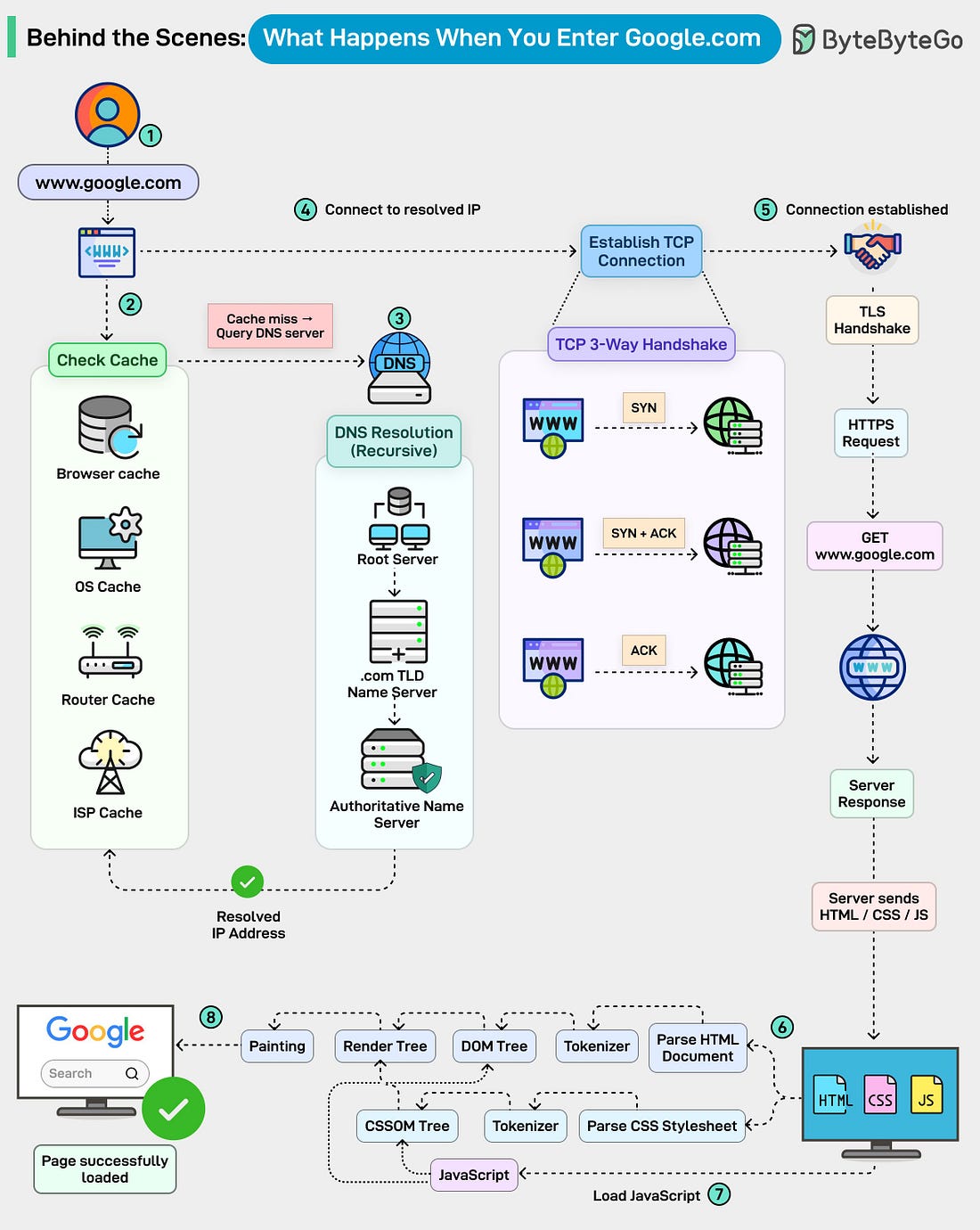 |
Here’s a quick tour of what actually happens:
The journey starts the moment you type “google. com” into the address bar.
The browser checks everywhere for a cached IP: Before touching the network, your browser looks through multiple cache layers, browser cache, OS cache, router cache, and even your ISP’s DNS cache.
A cache hit means an instant IP address. A miss kicks off the real journey.Recursive DNS resolution begins: Your DNS resolver digs through the global DNS hierarchy:
- Root servers
- TLD servers (.com)
- Authoritative servers for google. comA TCP connection is established: Your machine and Google’s server complete the classic TCP 3-way handshake:
- SYN → SYN/ACK → ACK
Only after the connection is stable does the browser move on. TLS handshake wraps everything in encryption. By the end of this handshake, a secure HTTPS tunnel is ready.The actual HTTP request finally goes out: Google processes the request and streams back HTML, CSS, JavaScript, and all the assets needed to build the page.
The rendering pipeline kicks in:
Your browser parses HTML into a DOM tree, CSS into a CSSOM tree, merges them into the Render Tree, and then:
- Lays out elements
- Loads and executes JavaScript
- Repaints the screen
8. The page is fully loaded.
Over to you: What part of this journey was most surprising the first time you learned how browsers work?
Understanding the Linux Directory Structure
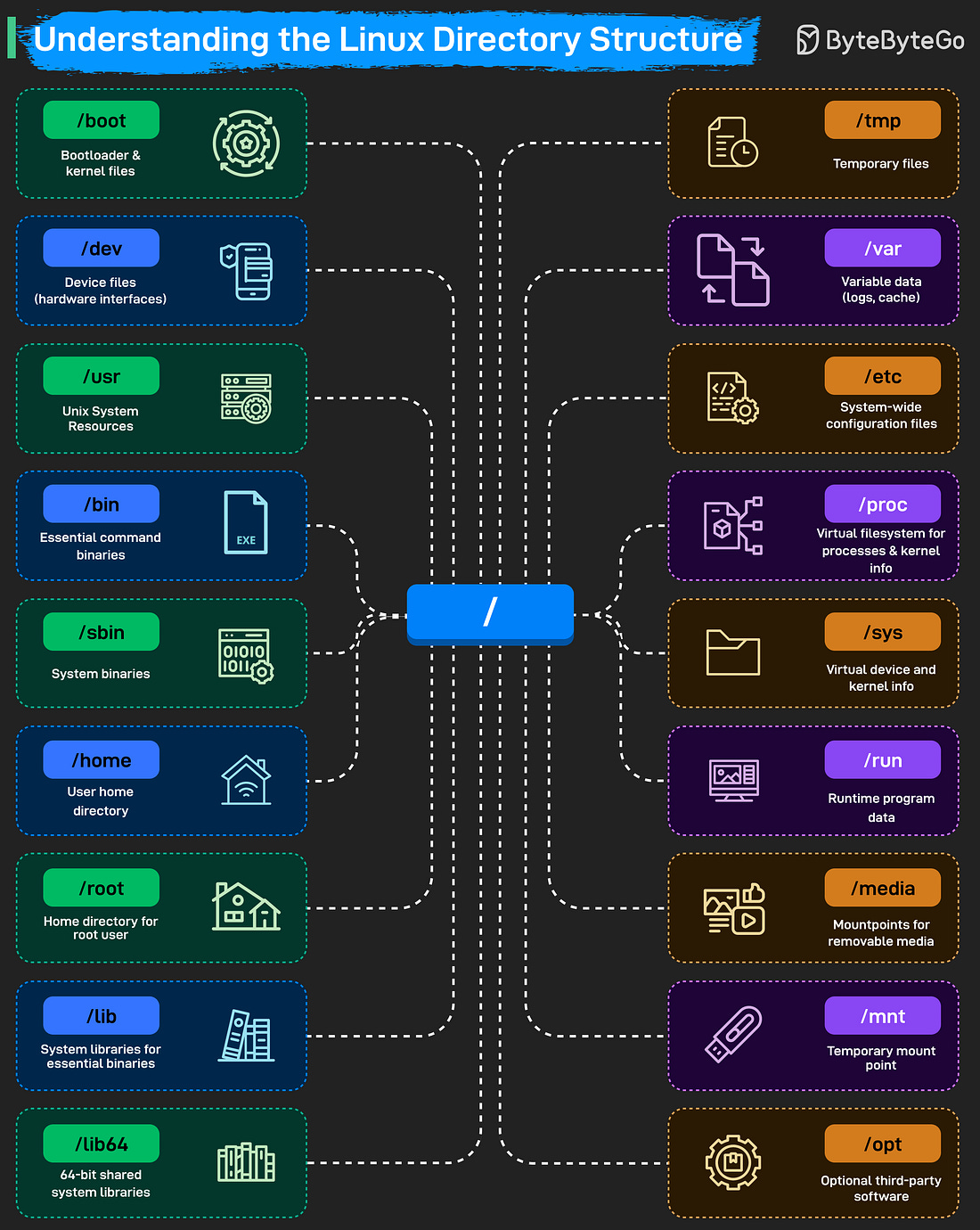 |
The root directory “/” is the starting point of the entire filesystem. From there, Linux organizes everything into specialized folders.
“/boot” stores the bootloader and kernel files, without it, the system can’t start.
“/dev” holds device files that act as interfaces to hardware.
“/usr” contains system resources, libraries, and user-level applications.
“/bin” and “/sbin” store essential binaries and system commands needed during startup or recovery.
User-related data